Finding Book Niches and Competitors With AI WriteBook’s Research Tools
Before you spend credits writing a book, it’s worth checking the market. AI WriteBook has three research tools for that: What’s Trending, Niche Finder and Competitor Research. I tried them with the topic of my own kids’ book series, time travel adventures for kids, and the results surprised me: there aren’t many books in my area.
Each tool costs 10 to 15 credits, so keep some credits for writing the book itself. I’ll go through them in the order I think you should use them. You can find the app here: AI WriteBook.
1. What’s Trending (10 credits)
You’ll find it under KDP Publishing on the left, about halfway down the menu. The genre is optional. Enter a few keywords, I used historical adventure time travel for kids, and run it.
You get two lists of general topics, ones with potential and ones that are already saturated, each with a score, competition and risk. Then come emerging topics, some very specific, like interactive time slip STEM mysteries, plus declining topics to stay away from. The trending niches section has the most detail: growth rate, search interest, competition, risk, how time sensitive it is, content ideas, audience and ways to monetize.
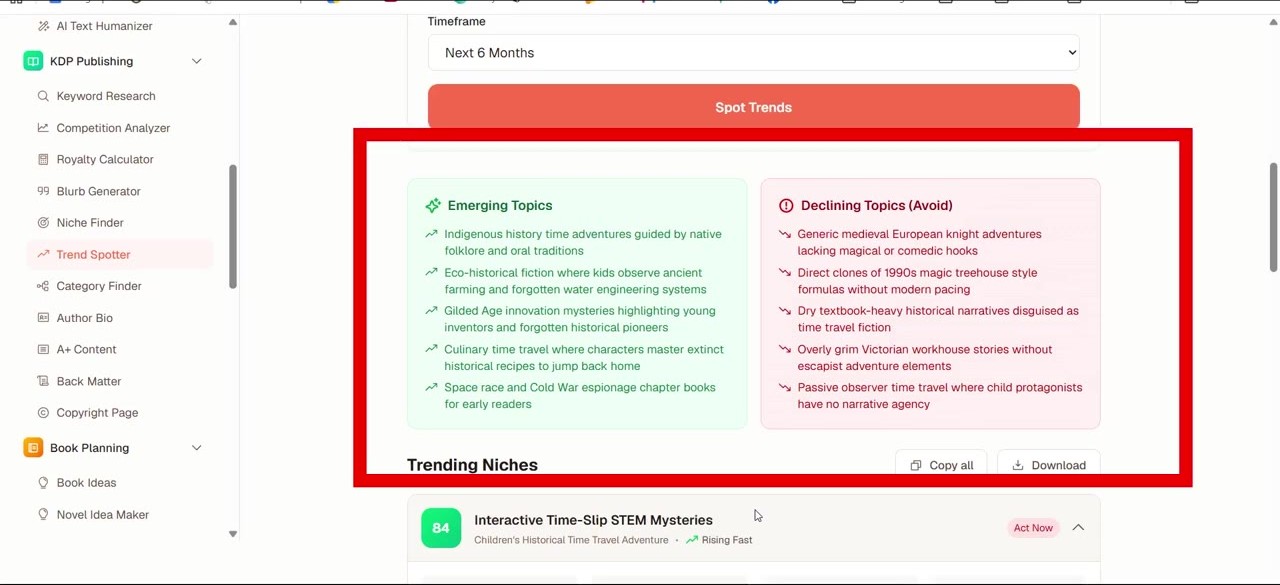
I wouldn’t take these numbers as absolute rules, but it’s useful to have all of it in one place.
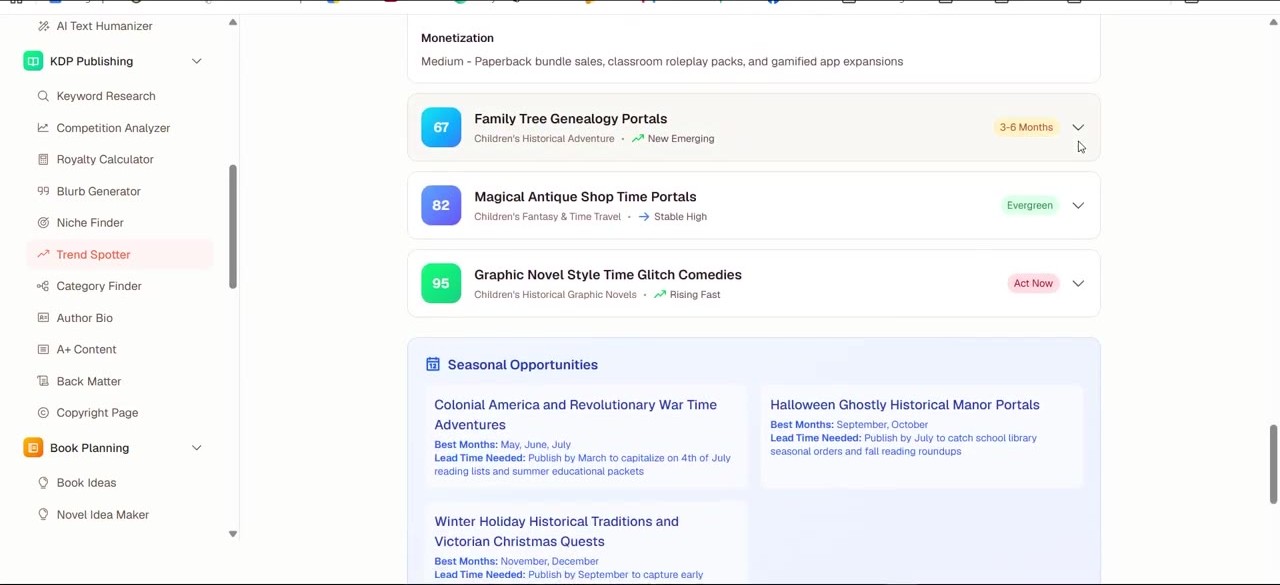
2. Niche Finder (15 credits)
It sits just above What’s Trending in the same menu. Enter your keywords and choose the marketplace. I removed time travel and searched historical adventure for kids.
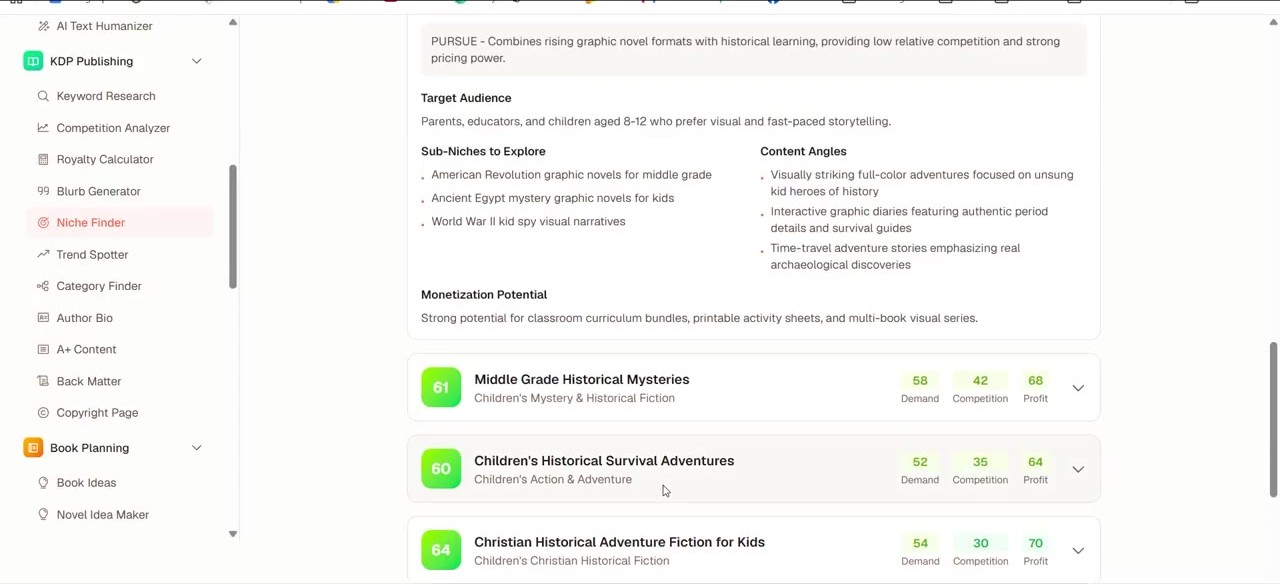
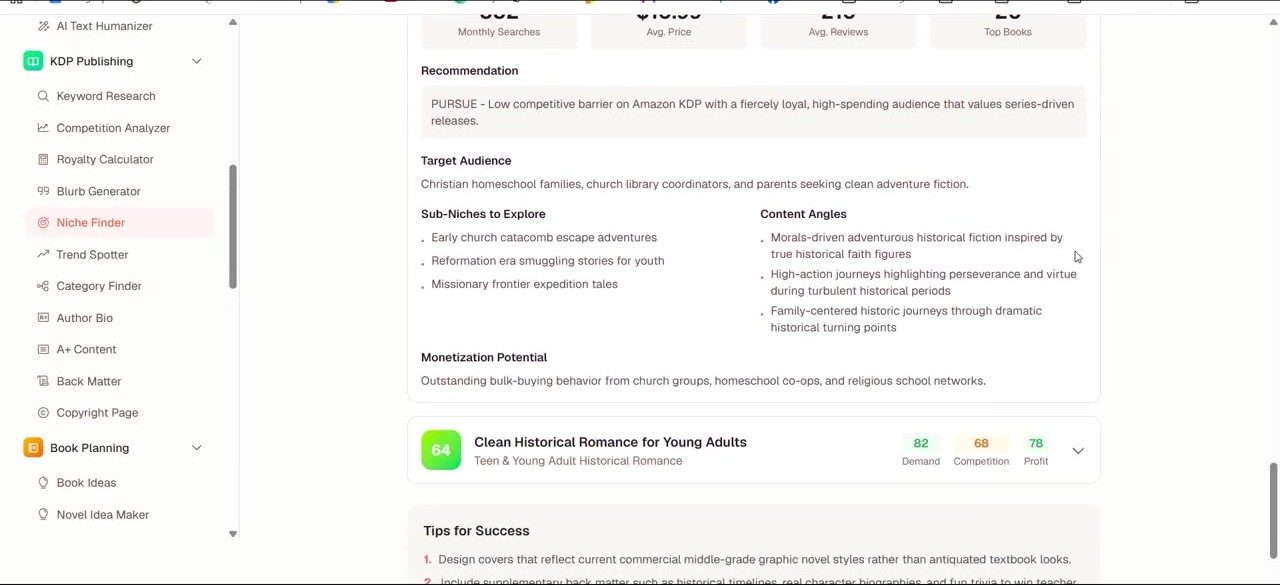
First you get a market overview. It said broad terms like historical fiction have huge search volume but are dominated by big publishers, while specific combinations have more manageable competition. Then come trending topics, an underserved areas section, and the actual niches with an opportunity score, demand, competition, profitability, estimated monthly searches, average price, average reviews, sub-niches and content angles.
3. Competitor Research (15 credits)
Choose the marketplace, enter the topic and how many competitors to find (up to 20). I searched time travel books for kids ages 9 to 13.
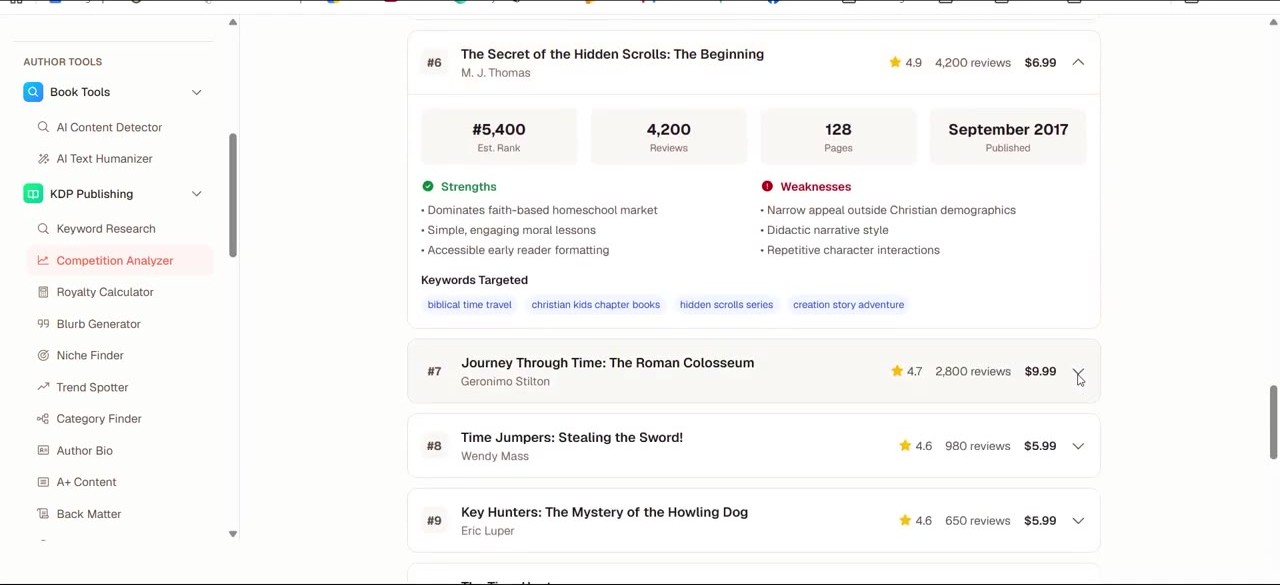
You get a market analysis with saturation, average price, reviews and page count, common themes in these books, and gaps in the market. Then the list of competitors with title, author, rating, reviews, price, pages, rank, publication date, strengths, weaknesses and keywords, and at the end some ideas for standing out.
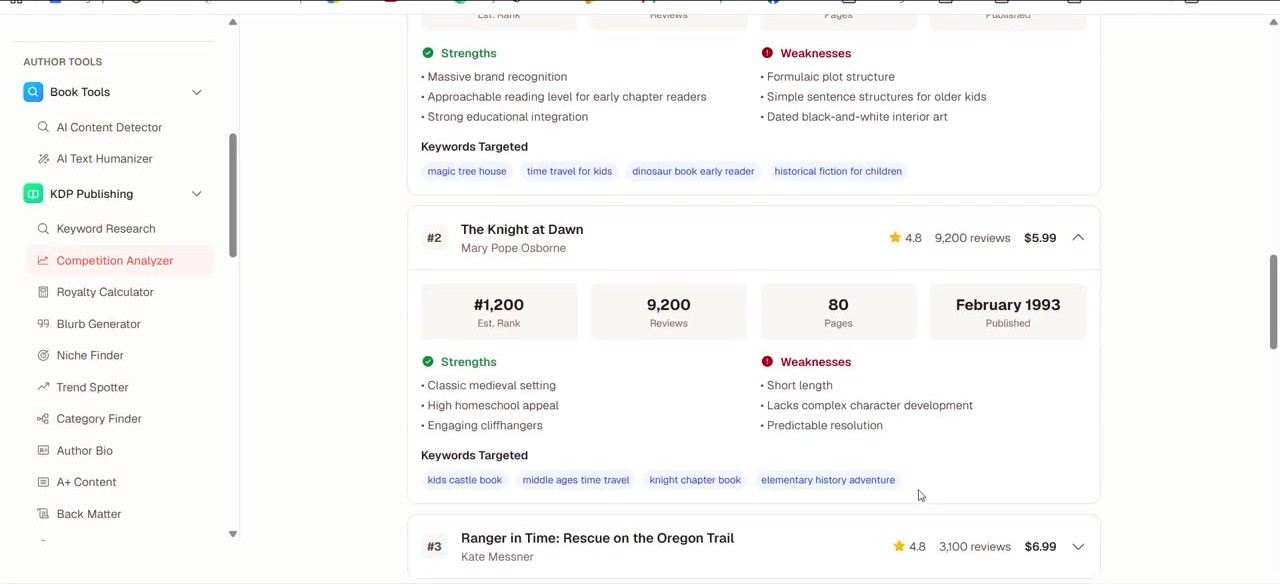
Check the competitors on Amazon yourself. In another book I made with the app, some of the listed competitors looked made up and I couldn’t find them.
What I do with the results
Together these tools give you different views of the same market: what’s growing, where the opportunities are, and who you compete with. That’s more useful than a list of book ideas. Take the information and decide for yourself what to investigate further.
Next steps: AI WriteBook’s KDP publishing tools and a full book made with AI WriteBook and published on KDP.
Keep learning
This guide is part of the complete guide: Publish Books on Amazon KDP with AI.