Team Hats from My Children’s Book with Canva and Printful
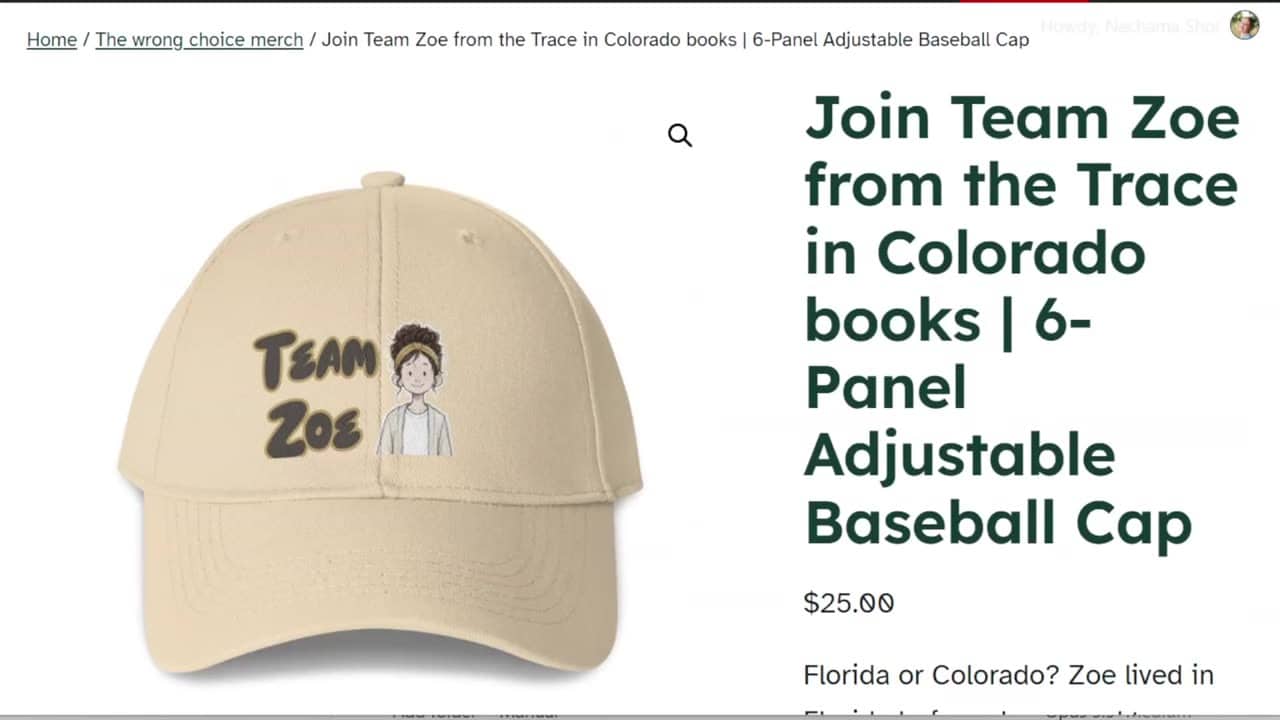
In this video I make team hats from my children’s book: I design them in Canva, turn them into product templates in Printful, and send them to my WooCommerce store. Each of the four main kids gets a hat, so every reader can choose the team they connect to, just like the team T-shirts I made before.
Choosing the hat in Printful
Click Product catalog → Hats → All hats. I chose the 6-Panel Adjustable Baseball Cap. It’s the cheapest hat in Printful, $7.99.
- Print or embroidery: my design is a colored drawing with lots of small details, so it can’t be embroidered. I chose DTFlex, which is a print.
- Kids’ version: there is one, but it has only one option and costs twice as much, so I used the regular adjustable cap.
- Shipping: on the Shipping tab, the cap costs $4.69 to ship to the US and $12.49 to Israel. Write these numbers down, you’ll need them for the price.
Know the print size before you design
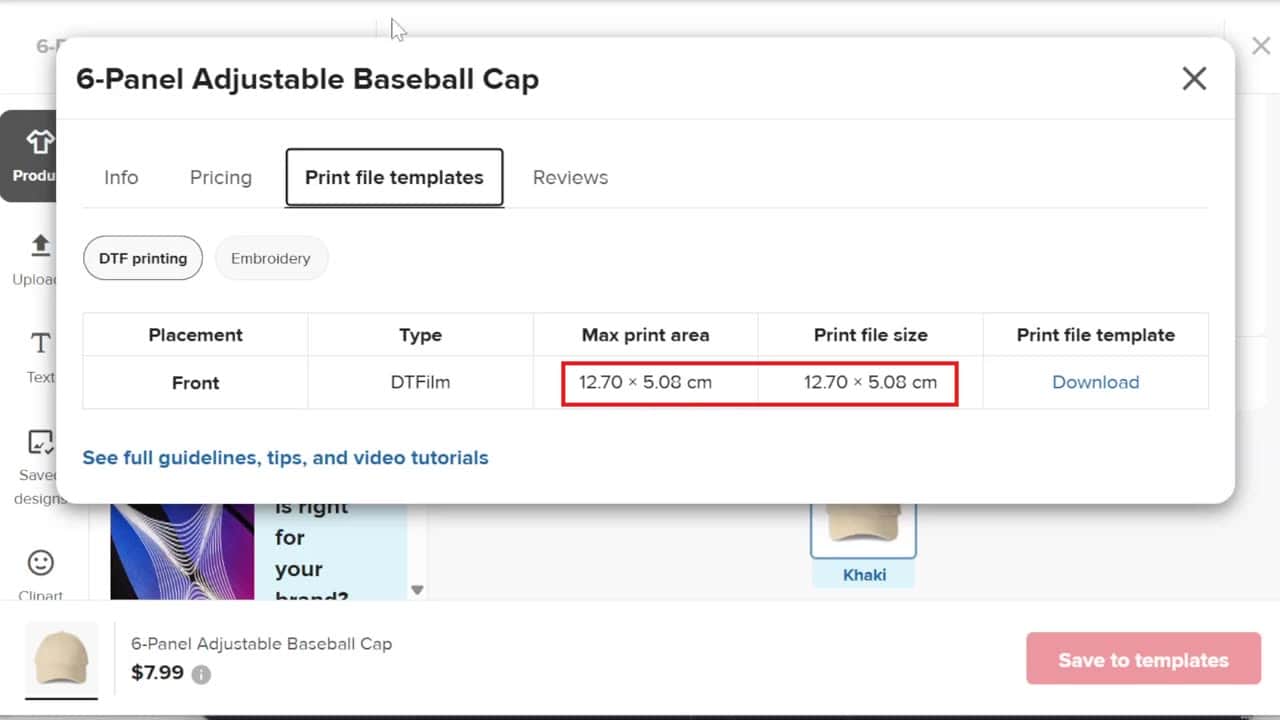
Click Pricing and file guidelines under the product name, then the Print file templates tab. For DTF printing the print area is 12.7 × 5 cm: small and wide. So the design needs to be wide, not tall.
Print size and DPI checker
Is your image big enough to print? Choose the product (or type the print area), then type your image size in pixels.
Designing the hat in Canva
- Click Create → Custom size, type 12.7 × 5, choose centimeters and click Create new design.
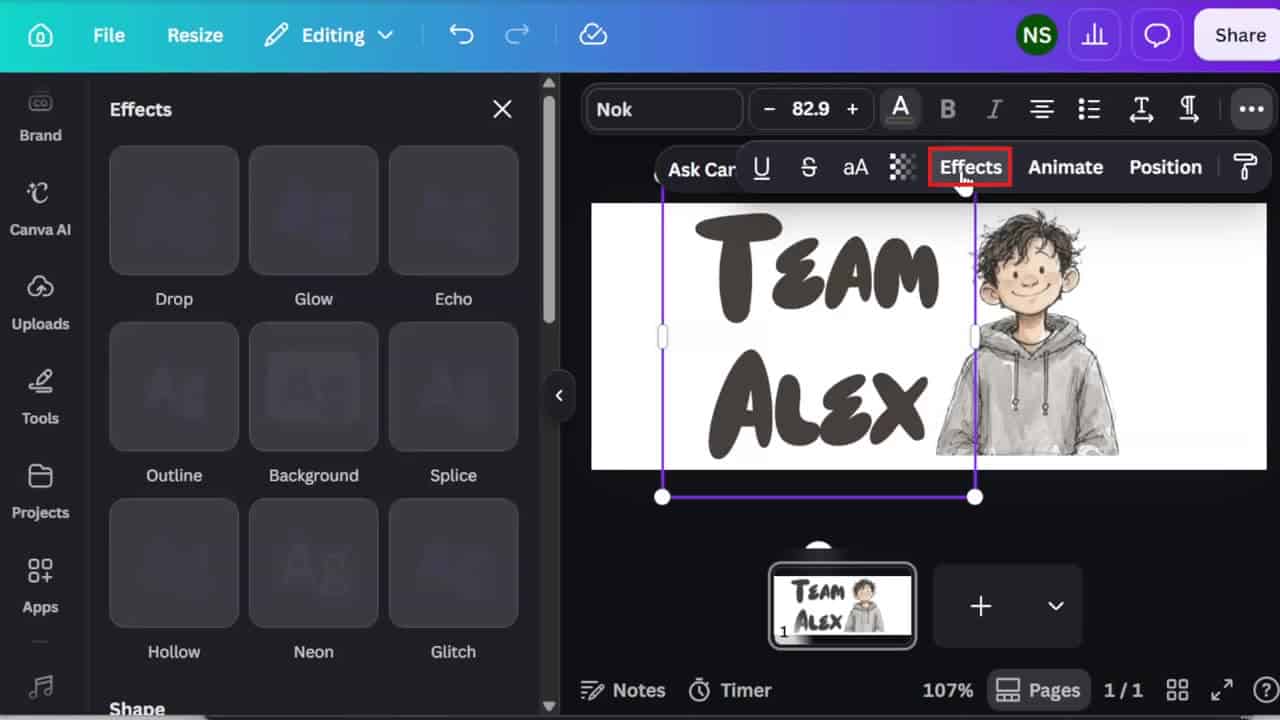
- Add the character from Uploads. I used one image of all four kids, and cropped it to one kid by dragging the small lines in the middle of the sides. Dragging a corner changes the size without cutting.
- Press T to add text. I typed “Team Alex” on two lines, tightened the line spacing in Spacing, and chose the Nok font in dark gray brown.
- For the outline: three dots → Effects → Outline. The nice trick is the eyedropper: click it and then click the drawing, and the outline takes a color from the character.
One page for every kid
Duplicate the page with Ctrl + D, double-click the name and type the next one. The whole image of the four kids is still there, only hidden by the crop, so you can drag the side out and crop again around the next kid. Then take the outline color from that kid’s clothes with the eyedropper.
Downloading
Click Share → Download, choose PNG, move the size slider up, choose high quality and turn on Transparent background (these are Canva Pro options). Select all pages, and Canva gives you a ZIP file with a PNG for each kid. Right-click it and extract it.
From the design to Printful
- Back in Printful, click Upload or drop your design here → Upload and choose all four files at once.
- If your library is full, click Create new folder, then check the files and click Move to.
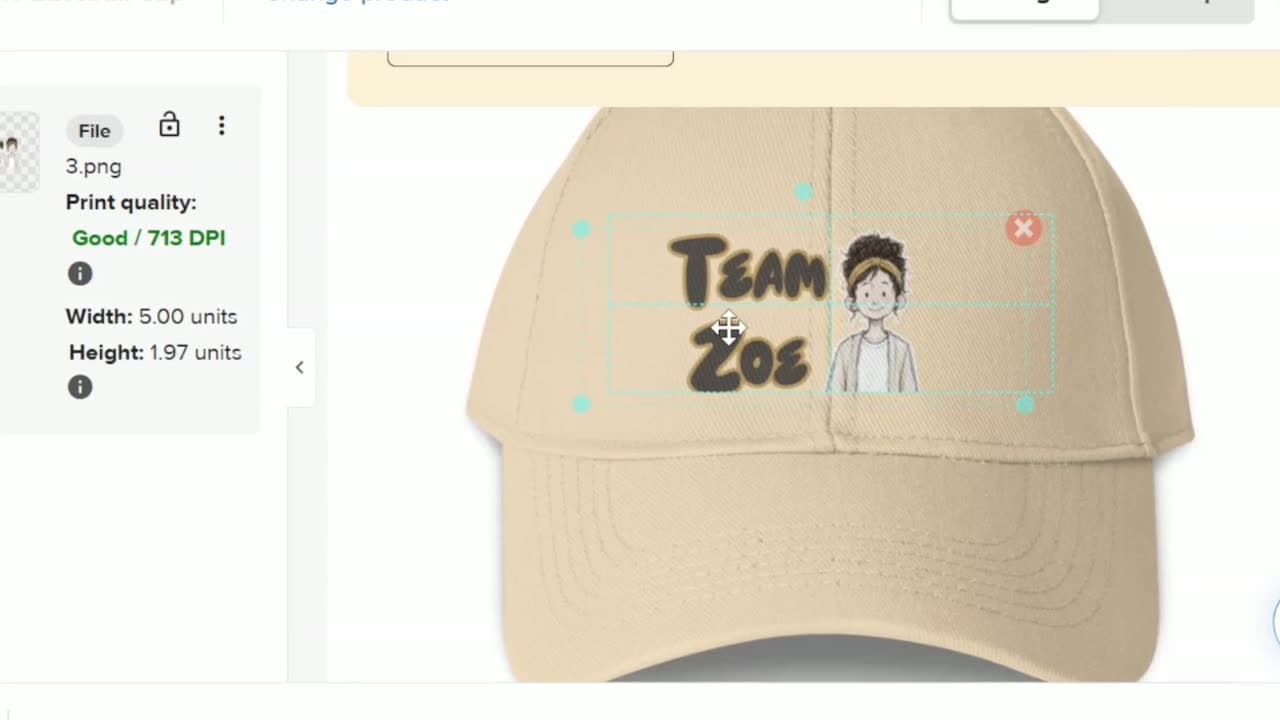
- Click Apply on the first design, drag it into place and size it from the corners.
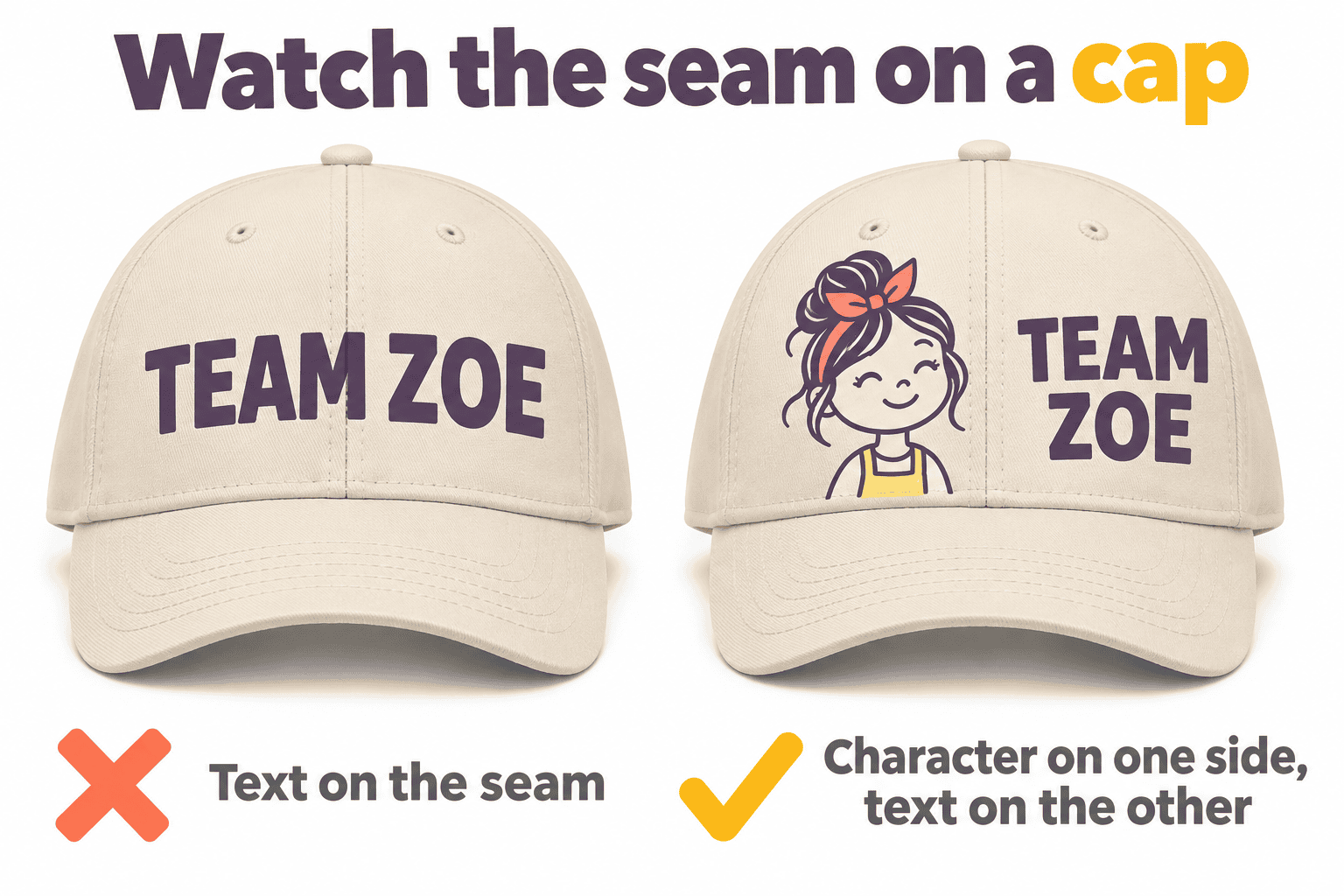
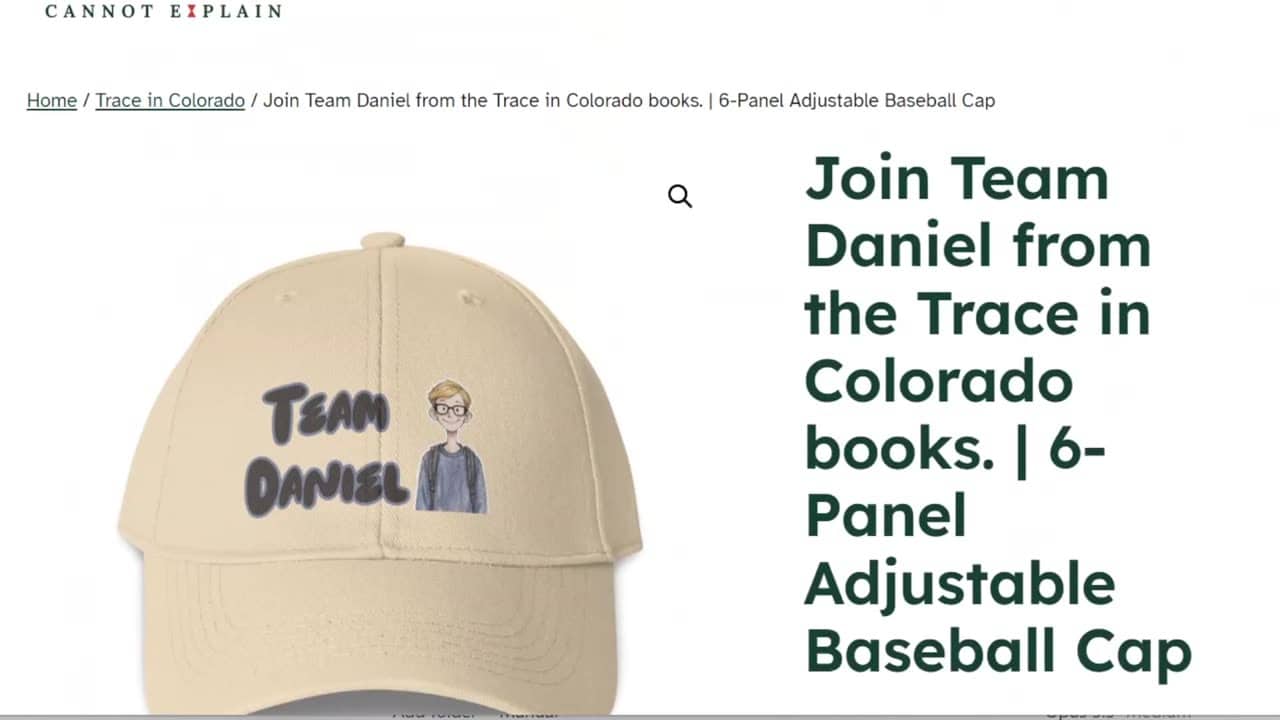
- Watch the seam: a cap has a seam in the middle. On my hat it goes right through the text. If you design a hat, put the character on one side and the text on the other, so the seam doesn’t cut the words.
- Click Save to templates → Add to store, choose your store, then Proceed to mockups. For a hat, the basic mockups are enough.
- Add the title and description, and choose your WooCommerce categories right there.
The price: why $17.01 isn’t what I earn
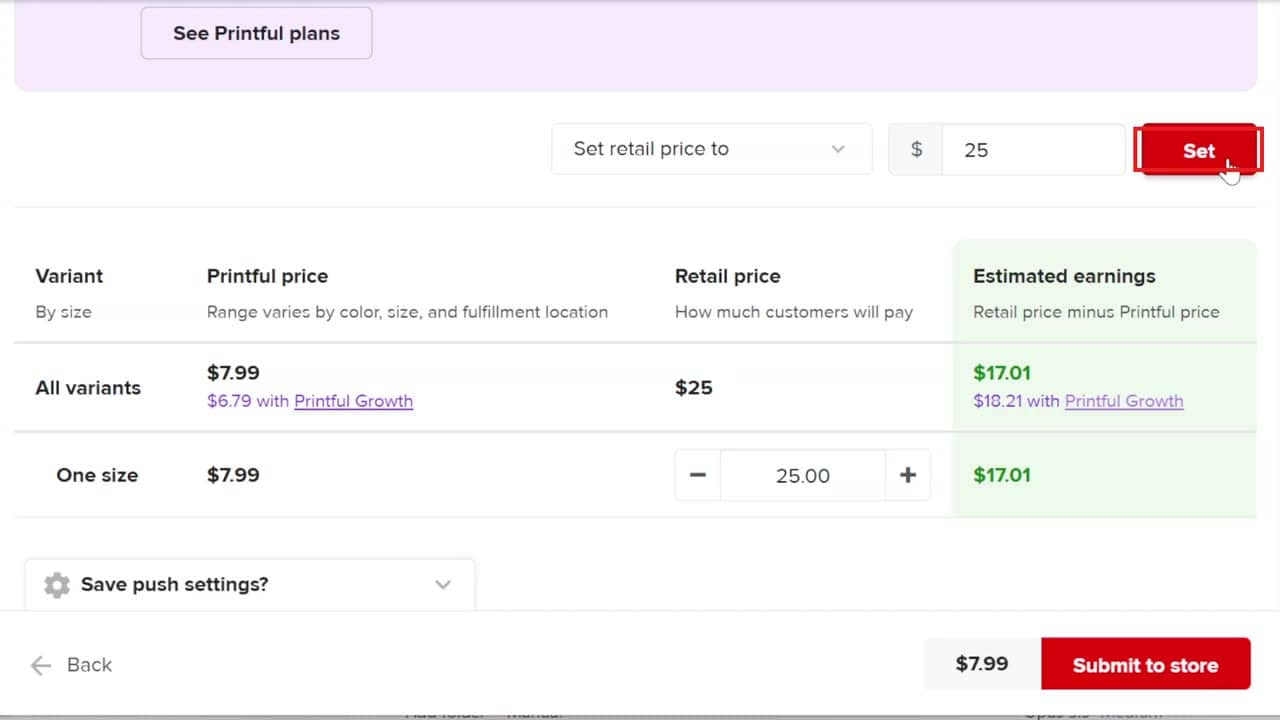
To set your own price, open the price box and choose Set retail price to. I typed $25, and Printful said I’d earn $17.01. But that’s only my price minus the cap.
My $25 price includes everything, so the buyer has no surprises at checkout. Out of it come the cap (about $8), shipping (up to about $13 to the most expensive country) and taxes. I can’t collect taxes for other countries myself, so when Printful charges taxes by the shipping country, I pay them. In the US and Europe shipping is cheaper but there are taxes; in other countries there are no taxes but shipping costs more. After taxes and fees I’d earn only about $2 to $3 on some hats and $5 to $6 on others.
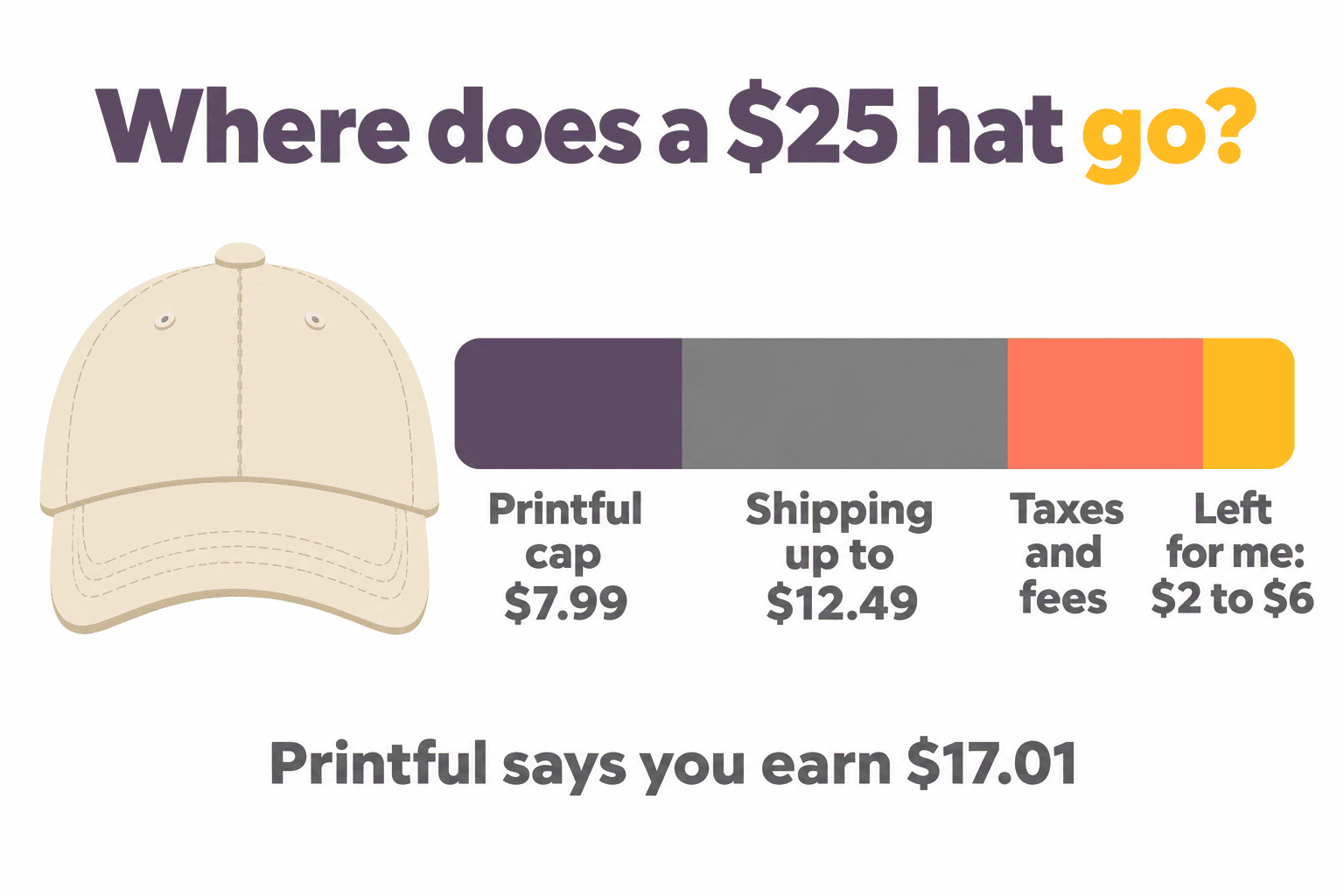
To be honest, that’s too little for me, so I don’t plan to sell these hats. But I had already designed them, so I’m showing you the whole process. You can check your own numbers in my free Printful profit calculator.
Why I made a template first
Here’s the time saver: go to Product templates, click the three dots on the template and choose Duplicate template. On the copy, click Edit, remove the old design with the red X, and apply the next kid’s design. The cap, the color and the position all stay the same.
To see the products, click Stores → View store, and View in WooCommerce to see each hat on your site with its mockups, price and description.
Try Printful here if you want to make your own book merch.
Some of the links in this post are affiliate links. If you sign up through them I may earn a small commission at no extra cost to you. I only recommend tools I use myself.