Revoicer Review: What I Found After Buying It for $37
I bought Revoicer, an AI voice generator, for $37 as a one-time payment, to replace Amazon Polly for my YouTube narration. In this video I go through the whole buying process with you, because a few important things are not on the sales page: how the credits work, which voices you really get, and what is locked behind the upgrades.
Why I switched to an AI voice, and to Revoicer
When I narrated my videos in my own voice, many viewers told me my accent was hard to understand, so I moved to Amazon’s AI voice. But with Polly many things didn’t sound right, my free credits ran out, and I was paying close to $10 a month. If I’m paying anyway, I wanted a more professional voice. I mostly share information, so the voice just needs to be pleasant and clear.
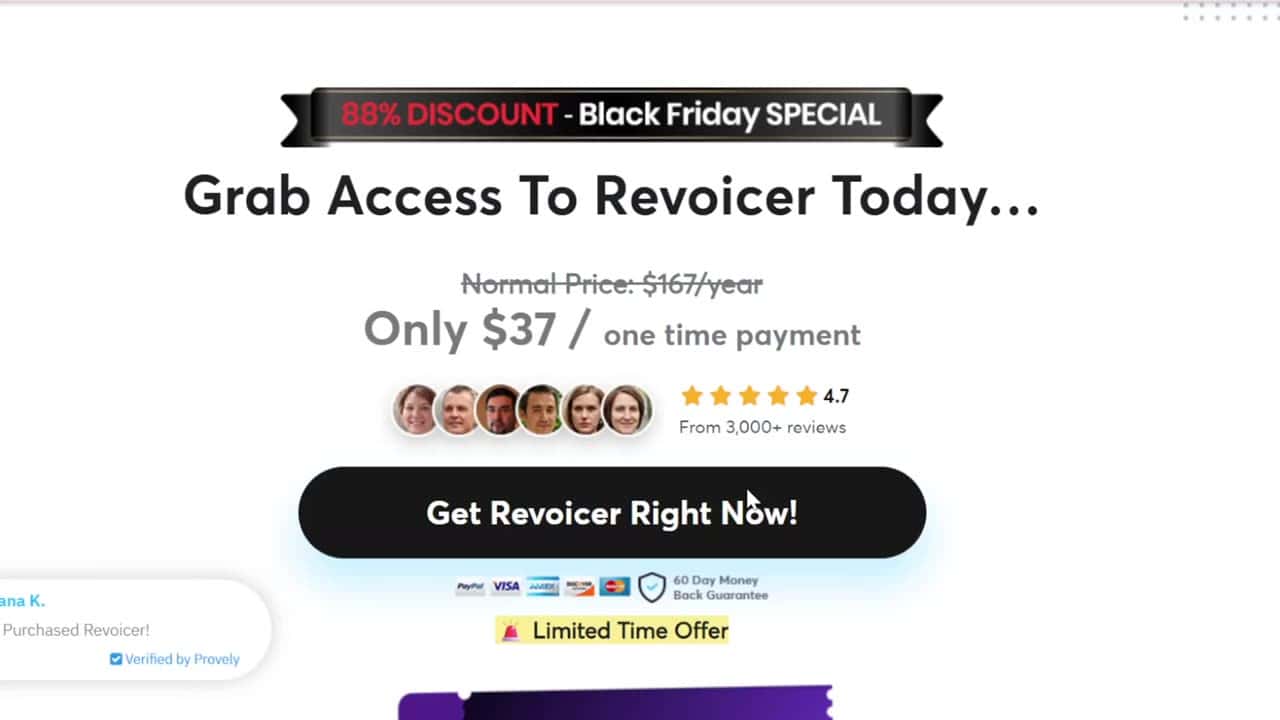
I chose Revoicer because I prefer paying for a product once rather than every month. The price I knew was $47, but on Black Friday it was $37, so covering about four months of Polly felt worth it.
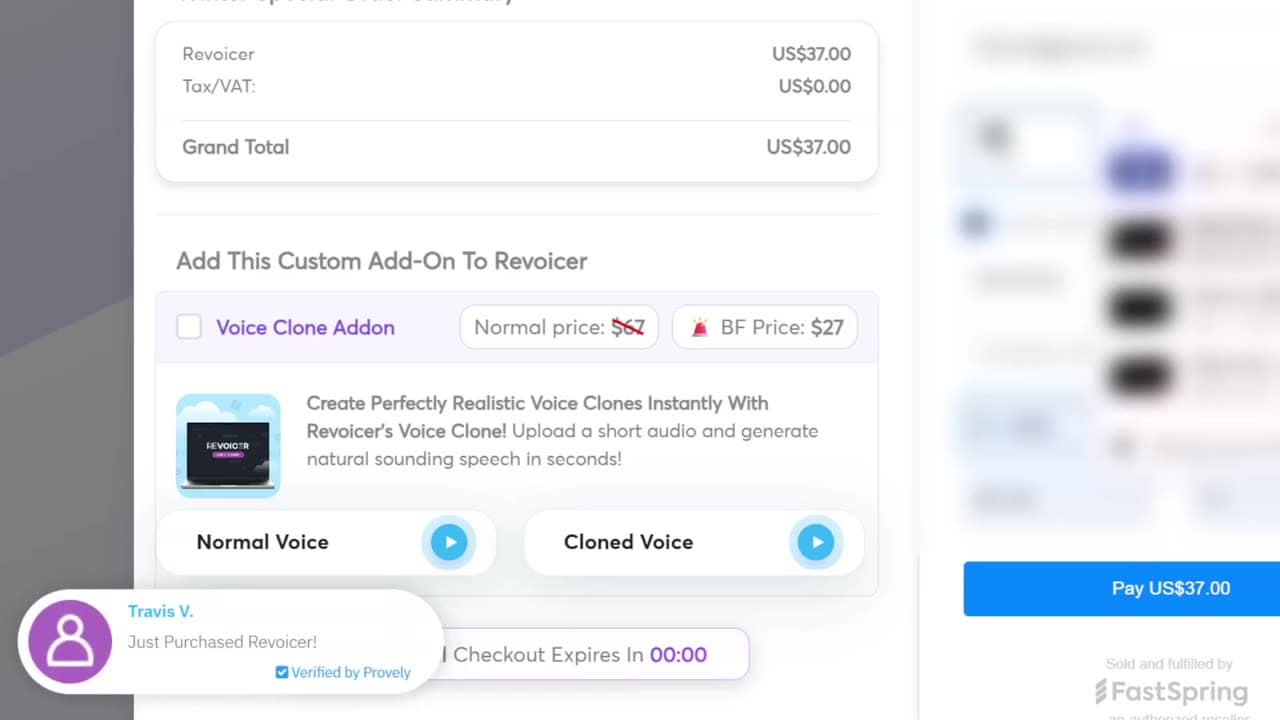
The checkout: the timer and the Voice Clone add-on
At checkout there was an offer for the Voice Clone add-on with a countdown timer: $27 instead of the normal $67. It makes a copy of your own voice from a short recording. I didn’t need it. A copy of my voice would have the same accent, which is the reason I use an AI voice in the first place.
And the timer? When it reached zero, nothing happened. The price stayed the same. So take your time before adding an upgrade.
The upsell page: PRO for $97 a year
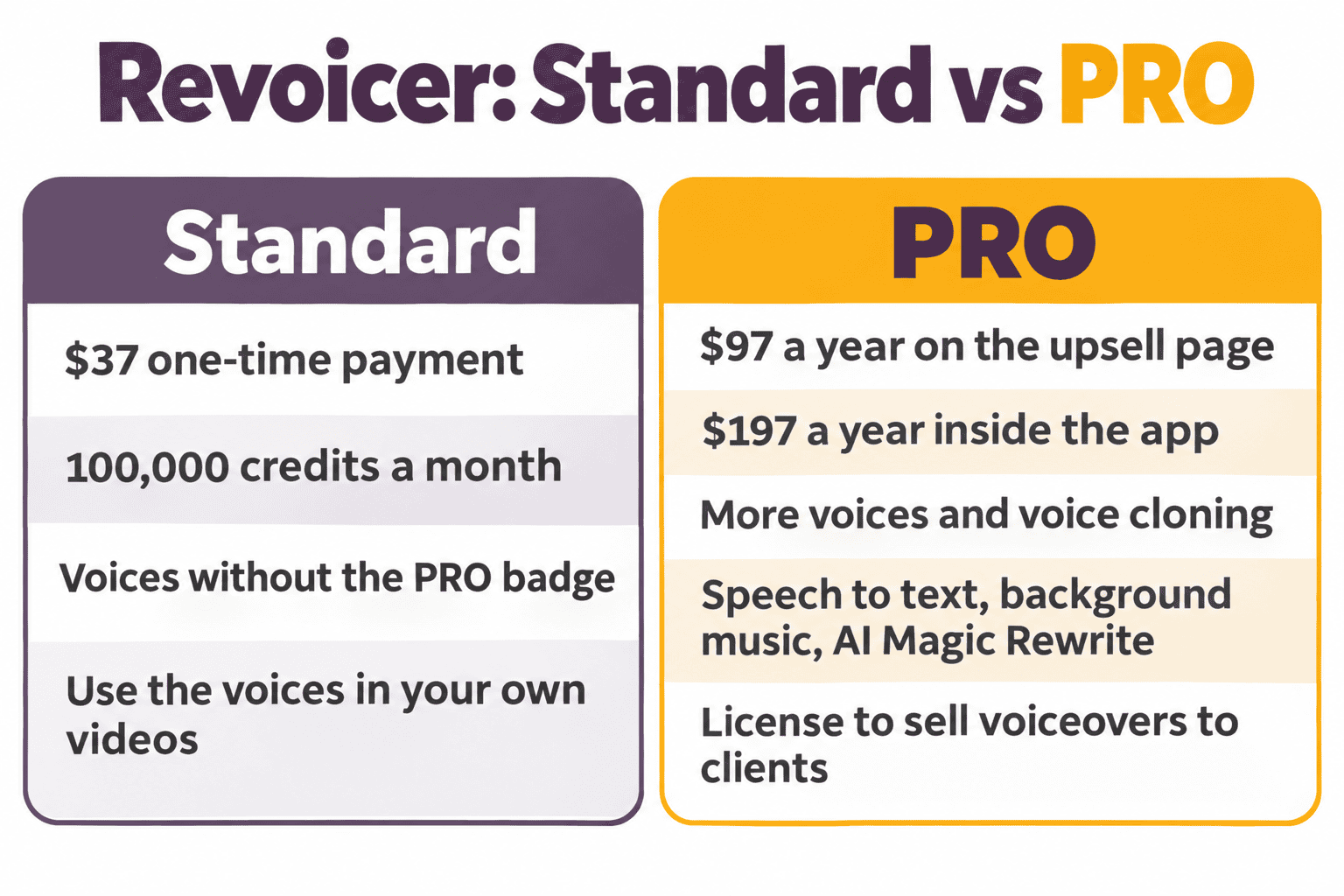
After I paid, I landed on an upsell page with no way to skip it. The only button was to say yes. The offer was PRO for $97 per year. Pay attention: per year, not lifetime like the version I had just bought.
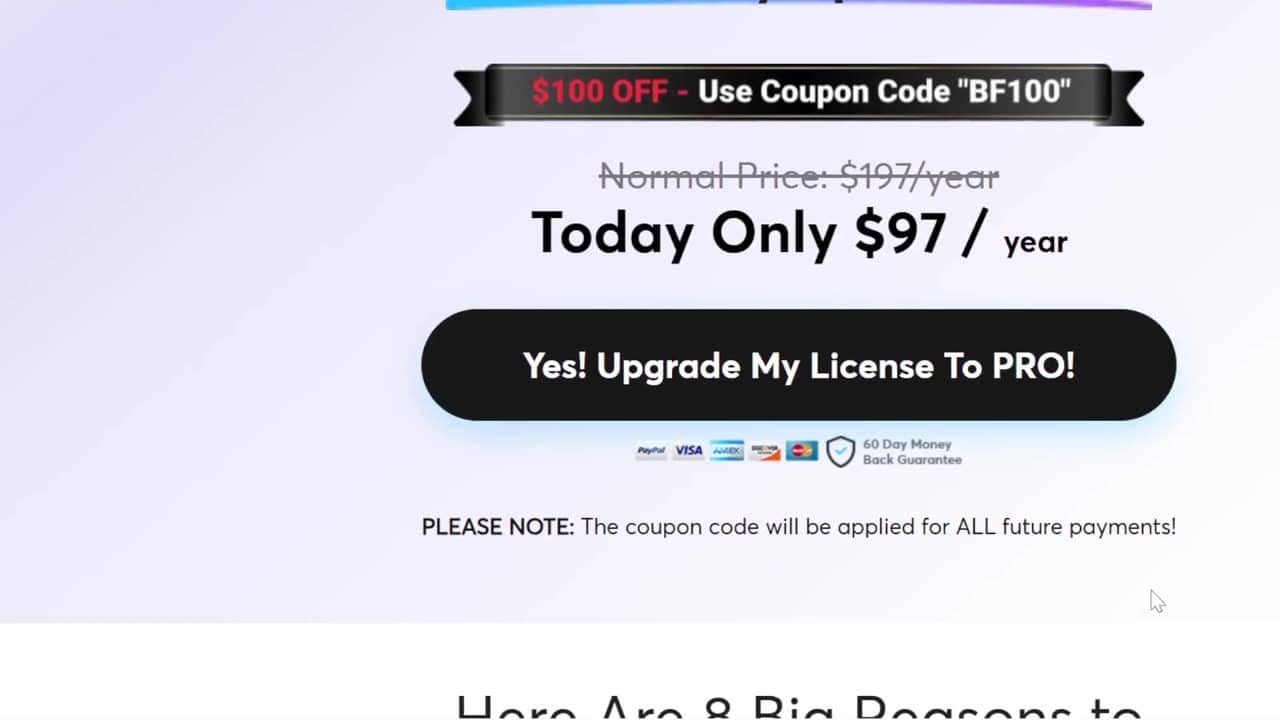
PRO adds more voices, voice cloning, speech to text, a background music module, AI Magic Rewrite and more. One of the features is called a “commercial license”. Don’t let it confuse you: from what the page says, it’s about selling voiceovers to clients as a service. Using the voices in your own videos, like my YouTube videos, is possible with the regular version.
I didn’t upgrade, because the whole reason I chose Revoicer was to avoid a fixed payment. If you plan to sell voiceovers, PRO may be worth it for you.
Inside Revoicer: what you really get
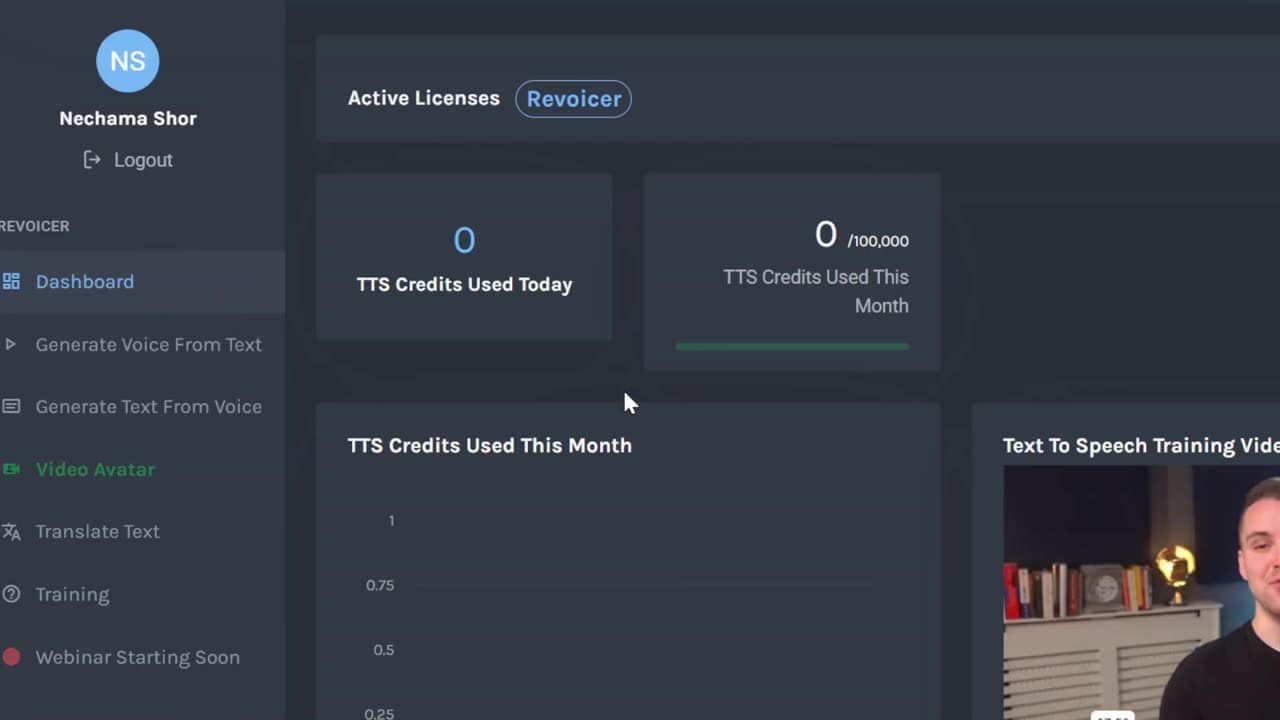
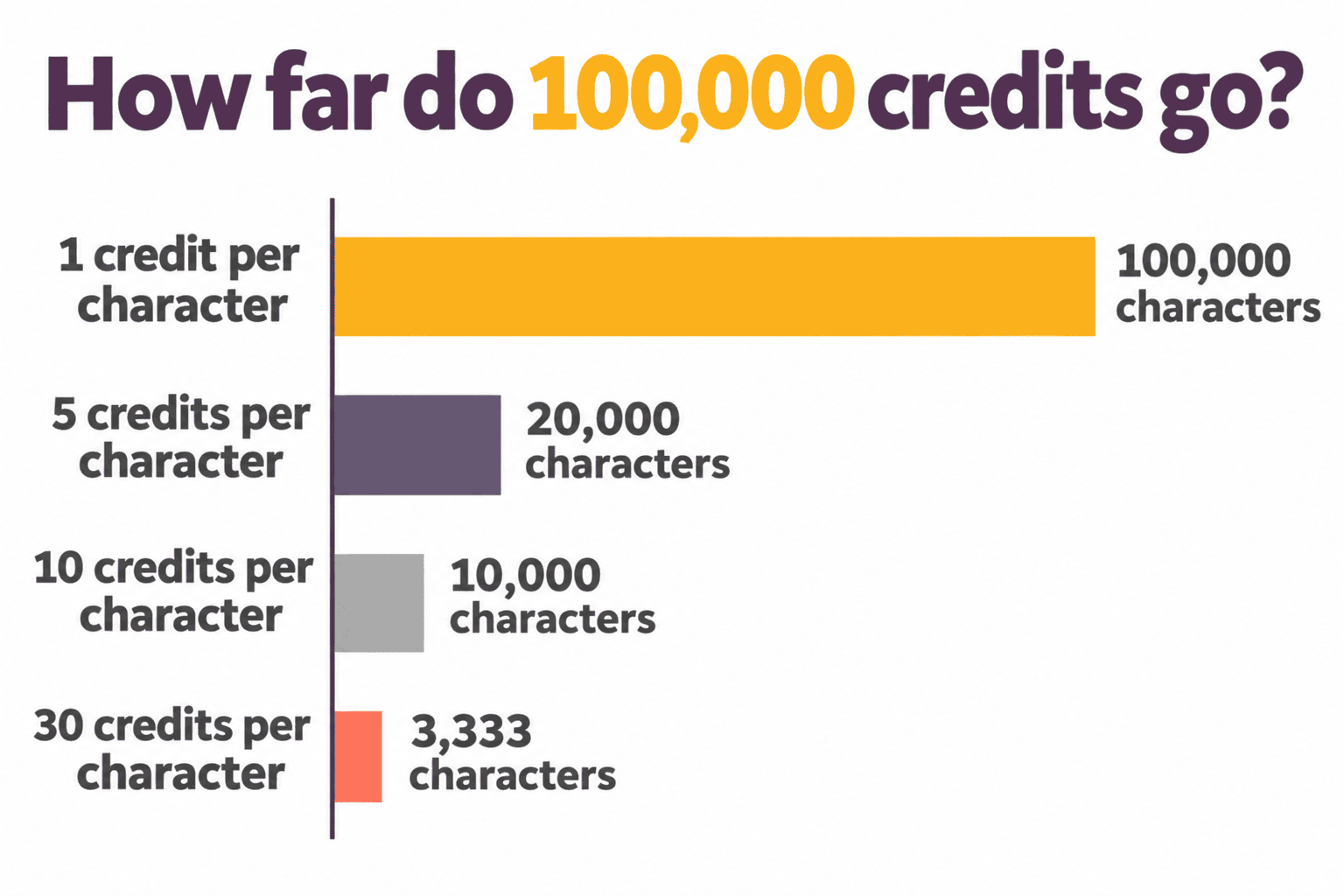
- 100,000 credits a month, and they go faster than you’d think.
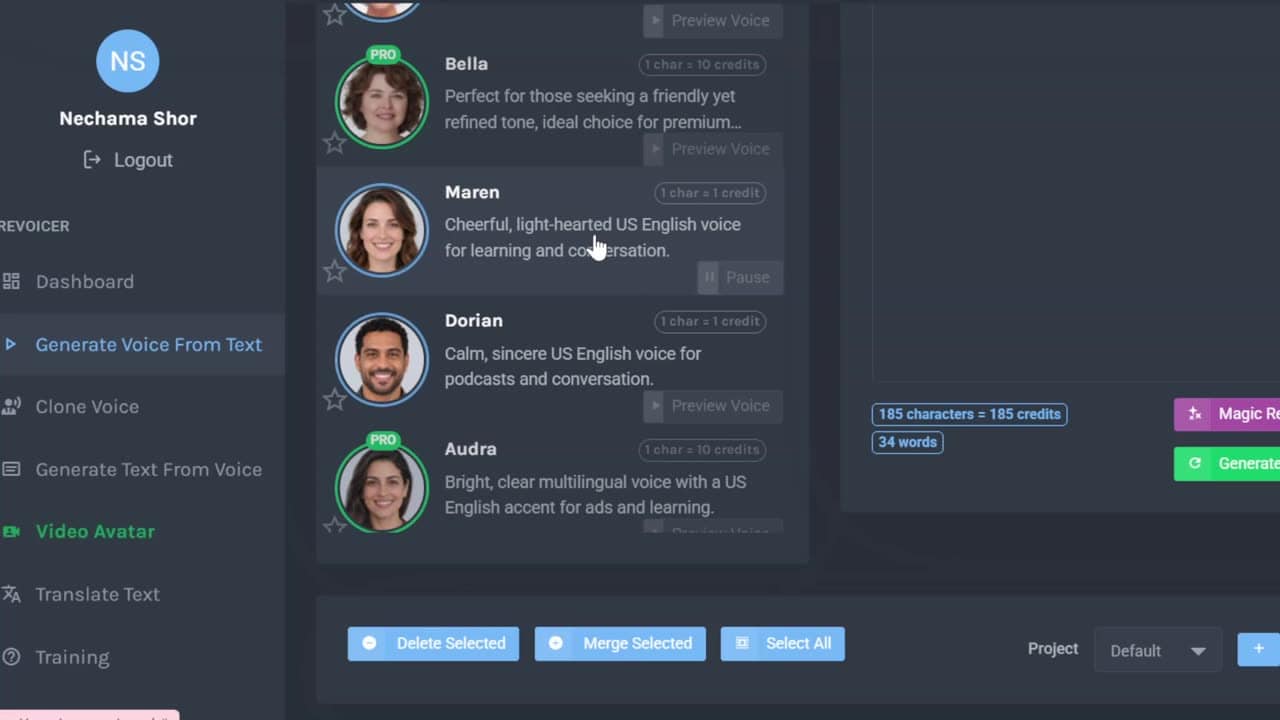
- You can listen to all the voices, but you can only use the ones without the PRO badge.
- Each voice costs a different number of credits per character: 1, 5, 10 or even 30. The voice I chose costs 1 credit per character, and it also sounds close to my old Amazon voice.
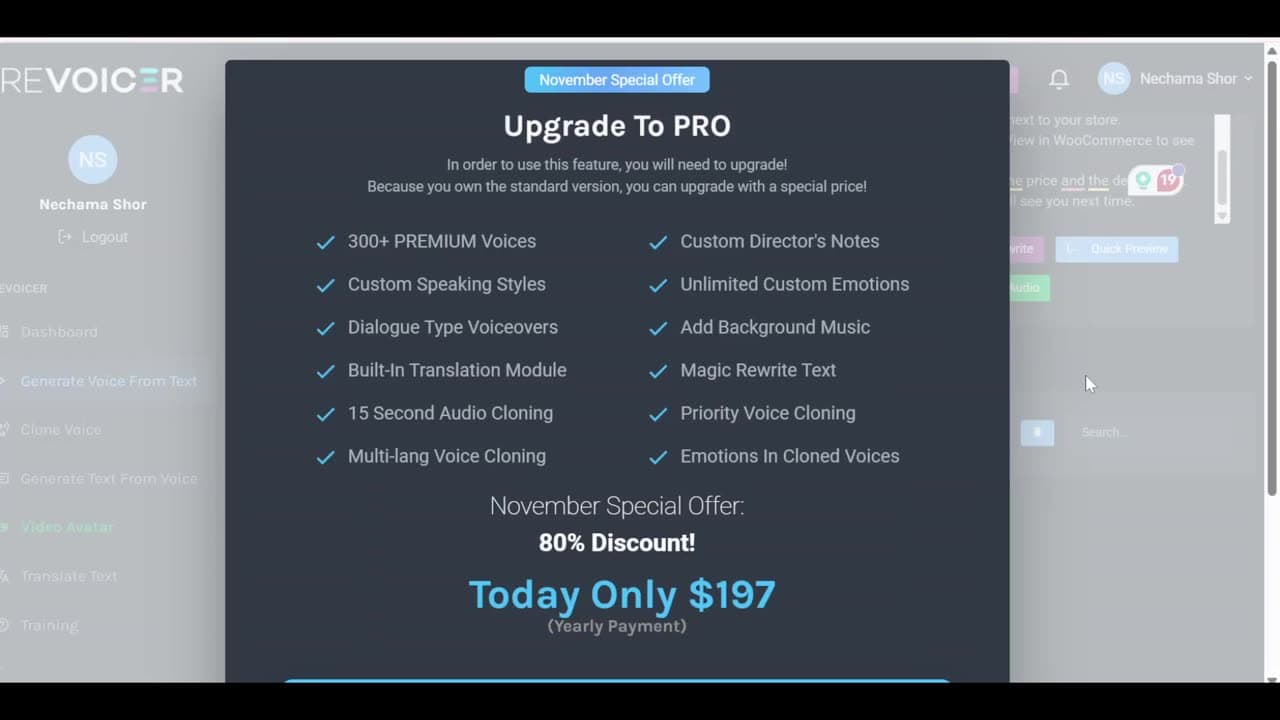
- Inside the app, the PRO upgrade was $197 a year, not $97.
So if you’re thinking about PRO, find out exactly what you get before you buy, and if you want it, say yes on the upsell page, where it’s cheaper. You can also copy the upsell page link and save it. The $97 price may have been a Black Friday price only, and if it’s $197 anyway, there’s no reason to rush, because you can upgrade later. Revoicer says there is a 60-day money-back guarantee; I’m keeping it.
Revoicer credits calculator
Paste your script (or type how many characters it has), choose the voice’s cost, and see how much of your monthly credits it takes.
The minutes are an estimate: about 900 characters for one minute of English narration. The Standard plan gives 100,000 credits a month. Voices marked PRO can’t be used without the upgrade.
How to use it
It’s simple: click Generate Voice From Text in the left menu, choose the language at the top (I use English, US), paste your text into the big box, and choose a voice from the list. Preview Voice lets you hear 4 seconds before you generate. When the voice is ready, click Download.
Hear all the voices you get
In this longer version I added samples of all the voices you can use without PRO, American and British, so you can hear them before you buy.