How to Change Your Pinterest Language and Country
Pinterest picks your language and country automatically, but you can change both in your account settings. This affects the language of the interface and the content Pinterest shows you.
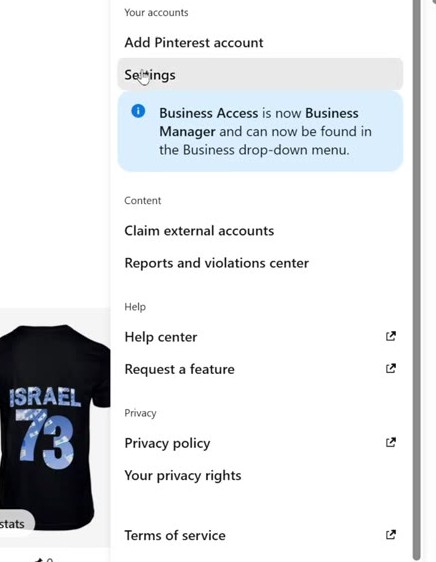
Step 1: Open Settings
Click the arrow next to your profile picture at the top right and choose Settings.
Step 2: Change the language
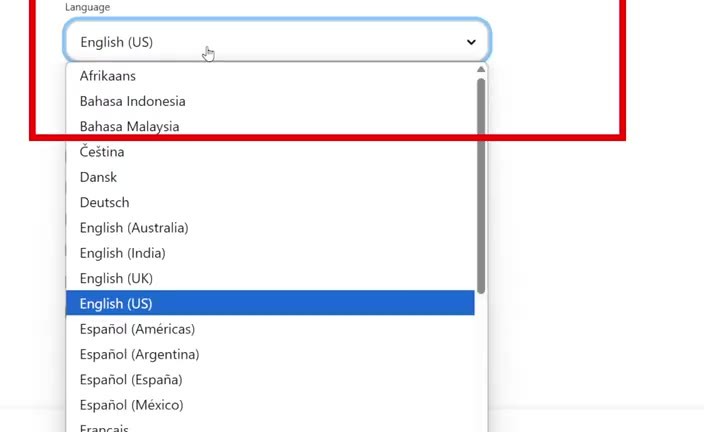
In Account management, open the Language list and choose the language you want. Click Save. The whole interface switches to the new language.
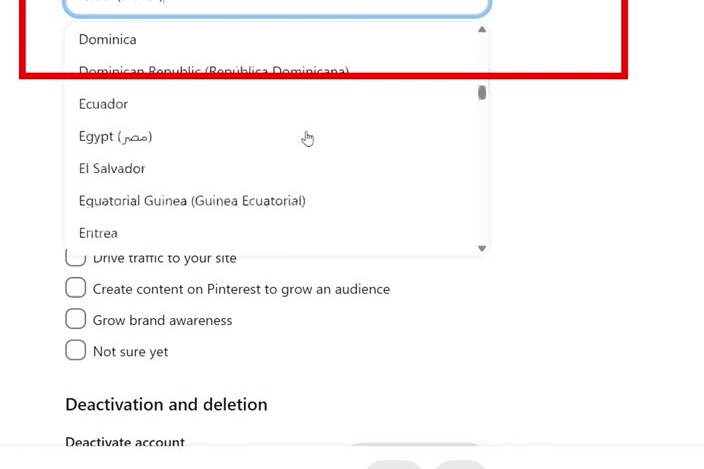
Step 3: Change the country or region
In the same page, open Country/Region, pick your country and save.
More Pinterest settings: auto-post from Instagram to Pinterest and delete a Pinterest account.
Keep learning
This guide is part of the complete guide: Pinterest and Social Media Guide for Creators.