Skip to content
Tools for content creators
  • About
  • GuidesExpand
    • Print on Demand with Printful
    • YouTube Channel
    • Make Money as a Creator
    • Books on Amazon KDP
    • Pinterest and Social Media
    • Canva and Design
  • Free ToolsExpand
    • YouTube Channel Checklist
    • Printful Profit Calculator
    • Printful Product Checklist
    • Series Bible Template
  • Recommended Tools
  • YouTube
Tools for content creators
Home / Marketing / Social Media

Social Media

Social Media Tools for content creators

SocialBee vs Buffer, Hootsuite, Publer and Later (2026): Which Scheduler to Choose

SocialBee compared with Buffer, Hootsuite, Publer and Later: prices, free plans, content categories, evergreen recycling and which social media scheduler fits you, with prices as of November 2026.
Read More SocialBee vs Buffer, Hootsuite, Publer and Later (2026): Which Scheduler to ChooseContinue

How to Auto-Post from Instagram to Pinterest (No Extra Apps)
Social Media Tools for content creators

How to Auto-Post from Instagram to Pinterest (No Extra Apps)

Connect Instagram to Pinterest so every new Instagram post is pinned automatically to a board, choose whether to import older posts, change the board, pause or disconnect.

Read More How to Auto-Post from Instagram to Pinterest (No Extra Apps)Continue

How to Change Your Pinterest Language and Country
Social Media

How to Change Your Pinterest Language and Country

Change the language of the Pinterest interface and your country or region in a few clicks from Settings, Account management.

Read More How to Change Your Pinterest Language and CountryContinue

How to Delete a Pinterest Account Step by Step
Social Media

How to Delete a Pinterest Account Step by Step

Delete a Pinterest account you don’t need anymore: find Deactivation and deletion in the settings, choose a reason, and confirm from the email Pinterest sends you.

Read More How to Delete a Pinterest Account Step by StepContinue

How Pinterest Board Sections Work: Add, Move Pins, Reorder and Merge
Social Media Tools for content creators

How Pinterest Board Sections Work: Add, Move Pins, Reorder and Merge

Split a Pinterest board into topics with sections: create a section, move one pin or many pins with Organize, reorder pins and sections, and merge two sections without losing pins.

Read More How Pinterest Board Sections Work: Add, Move Pins, Reorder and MergeContinue

Delete, Archive and Restore Pinterest Boards (and What Happens to Your Pins)
Social Media Tools for content creators

Delete, Archive and Restore Pinterest Boards (and What Happens to Your Pins)

How to delete a Pinterest board and restore it within 7 days, why archiving is the safer option, and what really happens to original and saved pins when you delete a pin or a board.

Read More Delete, Archive and Restore Pinterest Boards (and What Happens to Your Pins)Continue

How to Organize Pinterest Boards: Sort, Edit, Sections, Merge and Share
Social Media Tools for content creators

How to Organize Pinterest Boards: Sort, Edit, Sections, Merge and Share

Full control over your Pinterest boards with a business account: sort and reorder boards, edit the name and cover, add sections, move pins, merge boards and sections, and share or collaborate on a board.

Read More How to Organize Pinterest Boards: Sort, Edit, Sections, Merge and ShareContinue

How to Permanently Delete a TikTok Account (Step by Step)
Social Media

How to Permanently Delete a TikTok Account (Step by Step)

Delete your TikTok account for good: where the option is, the difference between deactivate and delete, what you lose, and how the 30-day waiting period works.

Read More How to Permanently Delete a TikTok Account (Step by Step)Continue

How to create a Facebook page for your business
Social Media The content game

How to Create a Facebook Page for Your Business (Step by Step)

How I created a Facebook page for my book series, step by step: name, category, bio, profile and cover photo, action button, username, a pinned welcome post and scheduled posts.

Read More How to Create a Facebook Page for Your Business (Step by Step)Continue

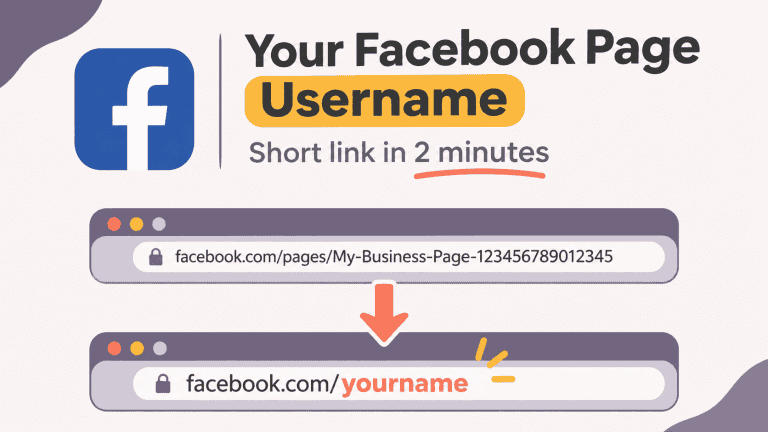
How to change your Facebook page username
Social Media The content game

How to Change Your Facebook Page Link to facebook.com/yourname

Give your Facebook page a short username so its link becomes facebook.com/yourname instead of a long string of numbers. Step by step with screenshots.

Read More How to Change Your Facebook Page Link to facebook.com/yournameContinue

Page navigation

1 2 Next PageNext
  • Privacy Policy
  • Terms Of Use
  • Disclosure

Find Me Elsewhere

  • YouTube Channel
  • My Book Series Site
  • TeePublic Store
  • Spreadshirt Store
  • Zazzle Store

© 2026 Tools for content creators

  • About
  • Guides
    • Print on Demand with Printful
    • YouTube Channel
    • Make Money as a Creator
    • Books on Amazon KDP
    • Pinterest and Social Media
    • Canva and Design
  • Free Tools
    • YouTube Channel Checklist
    • Printful Profit Calculator
    • Printful Product Checklist
    • Series Bible Template
  • Recommended Tools
  • YouTube