How to Pay Less in Payoneer Fees When Receiving and Sending Money
Payoneer charges small fees almost everywhere: when you receive money, when you convert it, when you pay someone and even when you don’t use the account enough. Each one is small, but together they add up. Here’s where to see all the fees and how to keep them low.
Note: the numbers below are the fees shown in the video. Payoneer updates its fees, so always check the current fees page in your account.
Where to find the fees page
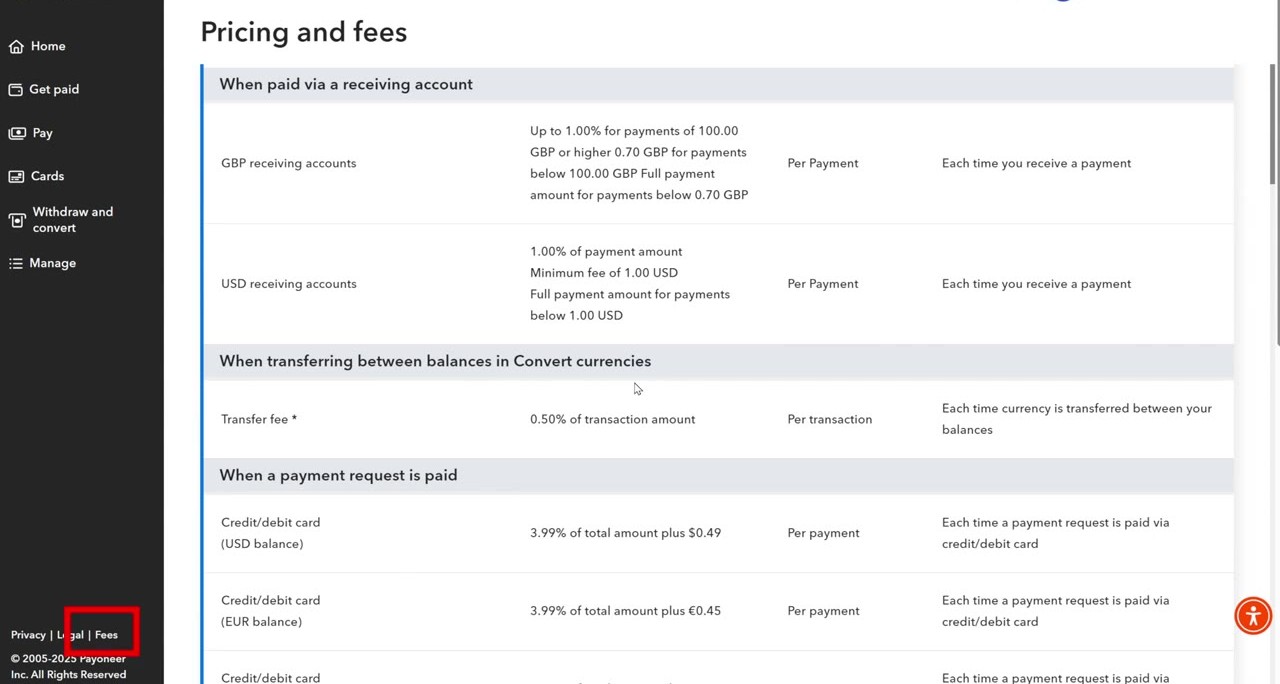
In your Payoneer account, click Fees in the small links at the bottom left of the menu. The Pricing and fees page lists every fee for your account.
Fees for receiving money
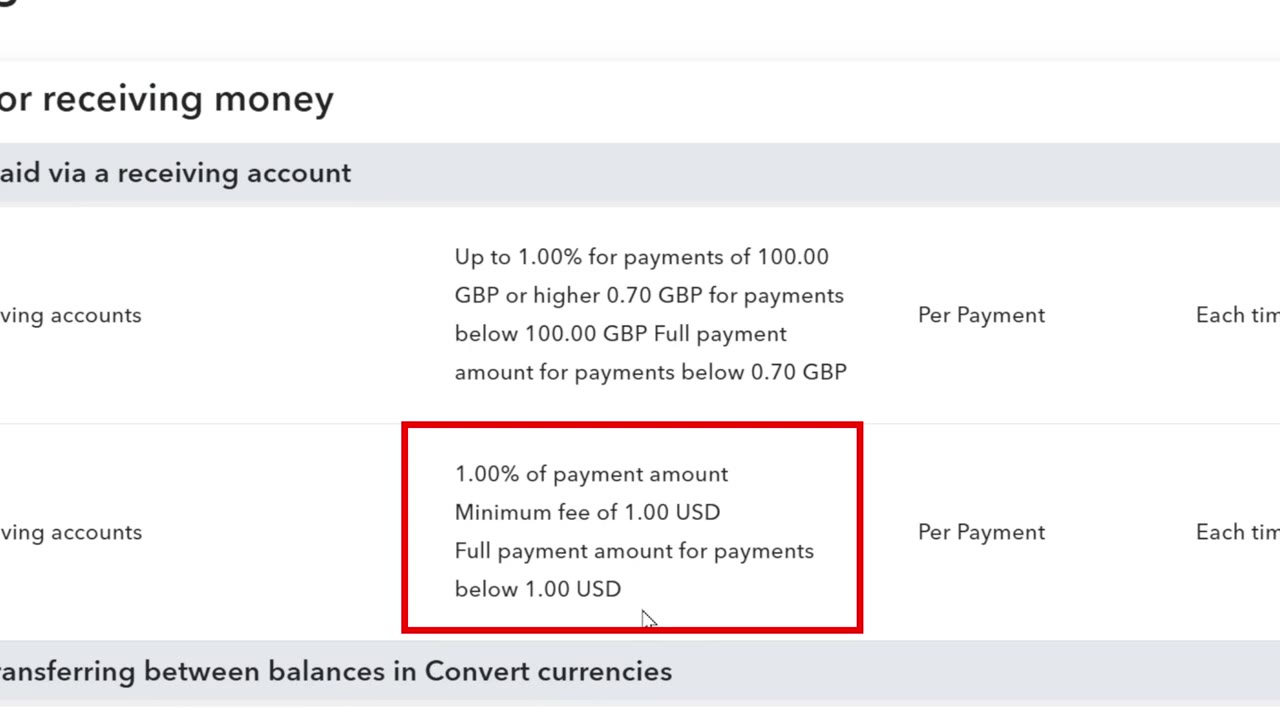
When you’re paid to a receiving account in USD, the fee was 1% of the payment with a minimum of 1 USD. That means a 20 USD payment costs 1 USD (5%), while a 100 USD payment also costs 1 USD (1%).
Tip: receive larger payments less often. If you get paid by Amazon, you can ask Amazon to hold your payments until they reach a higher amount.
Withdrawing and the Payoneer card
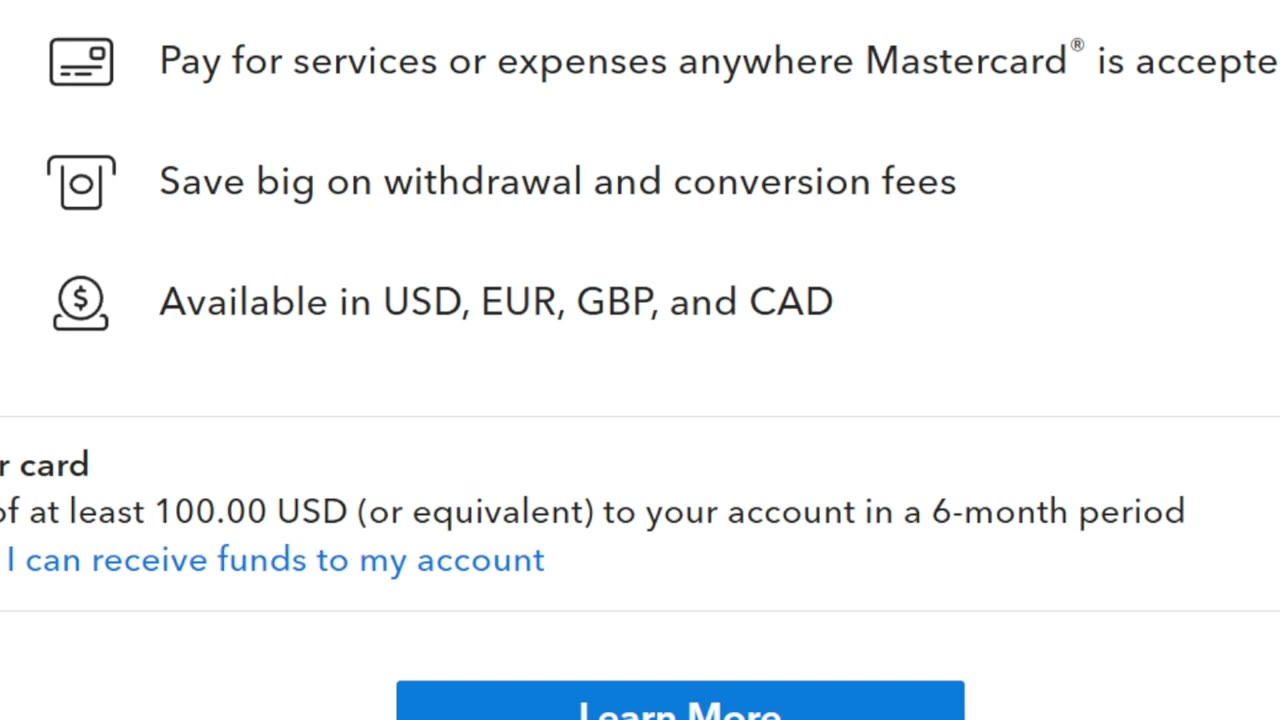
The minimum withdrawal to your bank is 50 USD. To order the Payoneer card you need to receive at least 100 USD within six months. The card itself helps you save on withdrawal and conversion fees.
Converting currencies
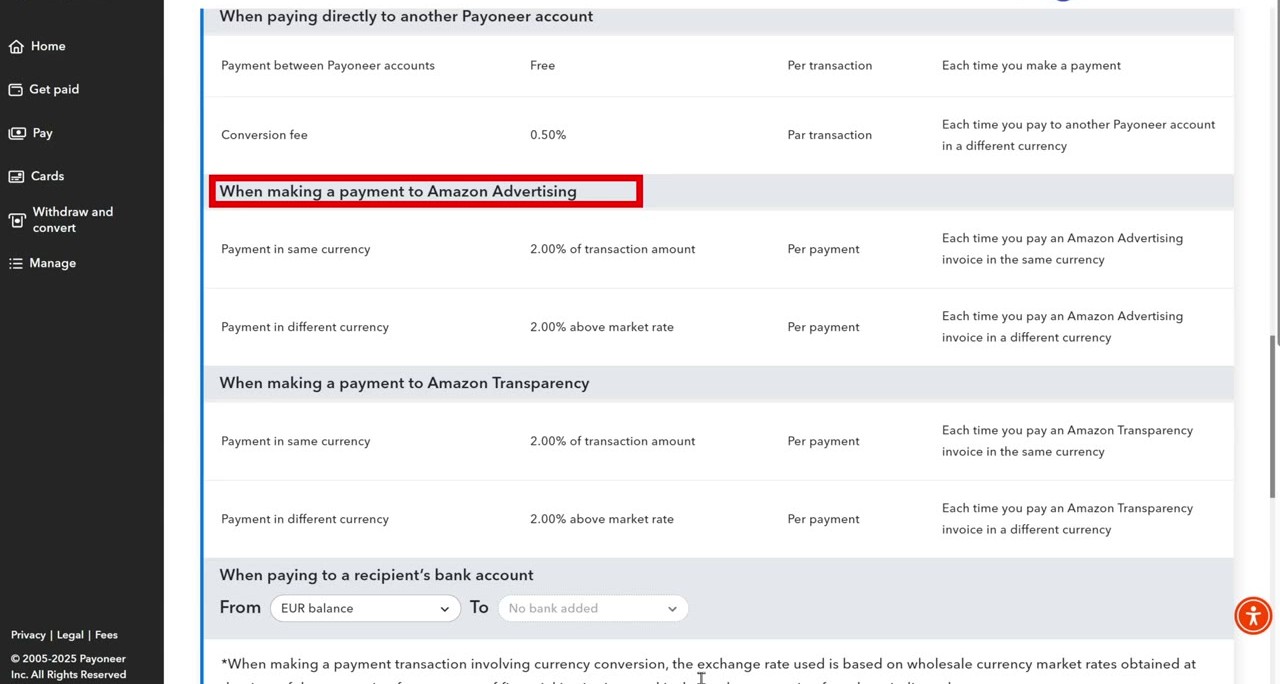
Moving money between your currency balances (for example from GBP to USD) cost 0.5% of the amount, on top of the exchange rate. Avoid converting back and forth, and keep money in the currency you’ll spend it in.
Paying other people
Paying another Payoneer account is free when it’s in the same currency. Paying in a different currency adds the 0.5% conversion fee.
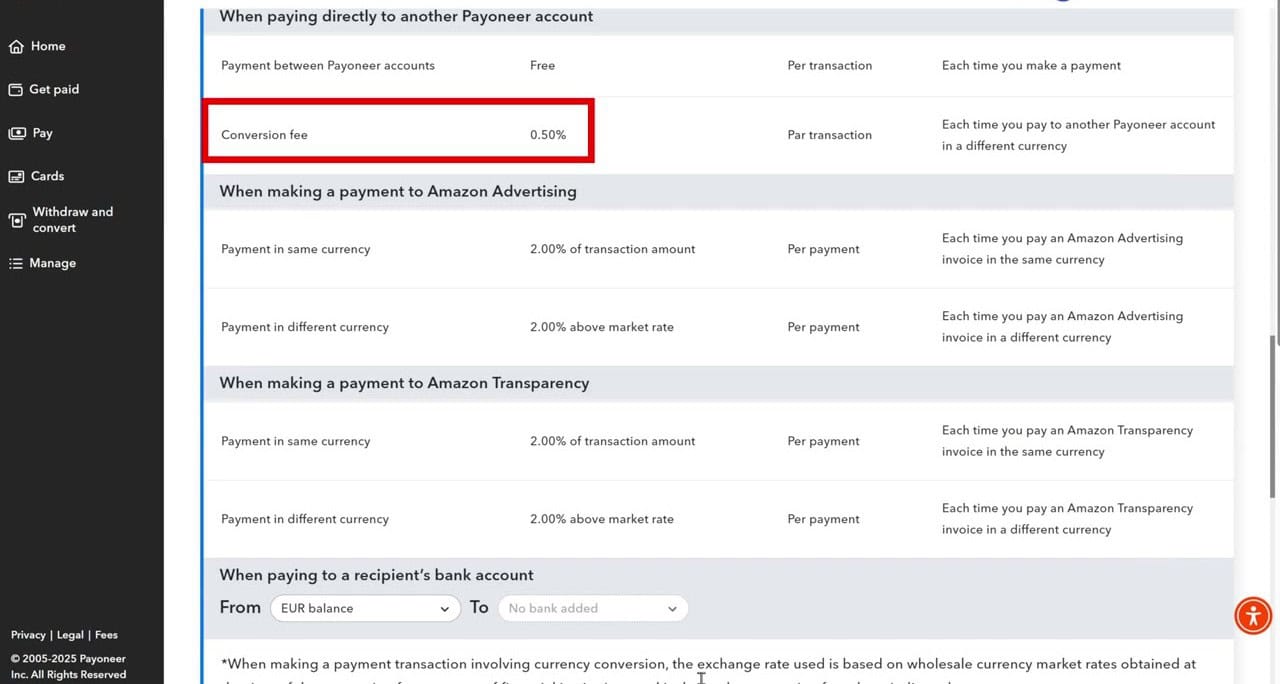
Paying Amazon Advertising invoices from your Payoneer balance cost 2% of the payment, so check whether paying another way is cheaper for you.
The annual account fee
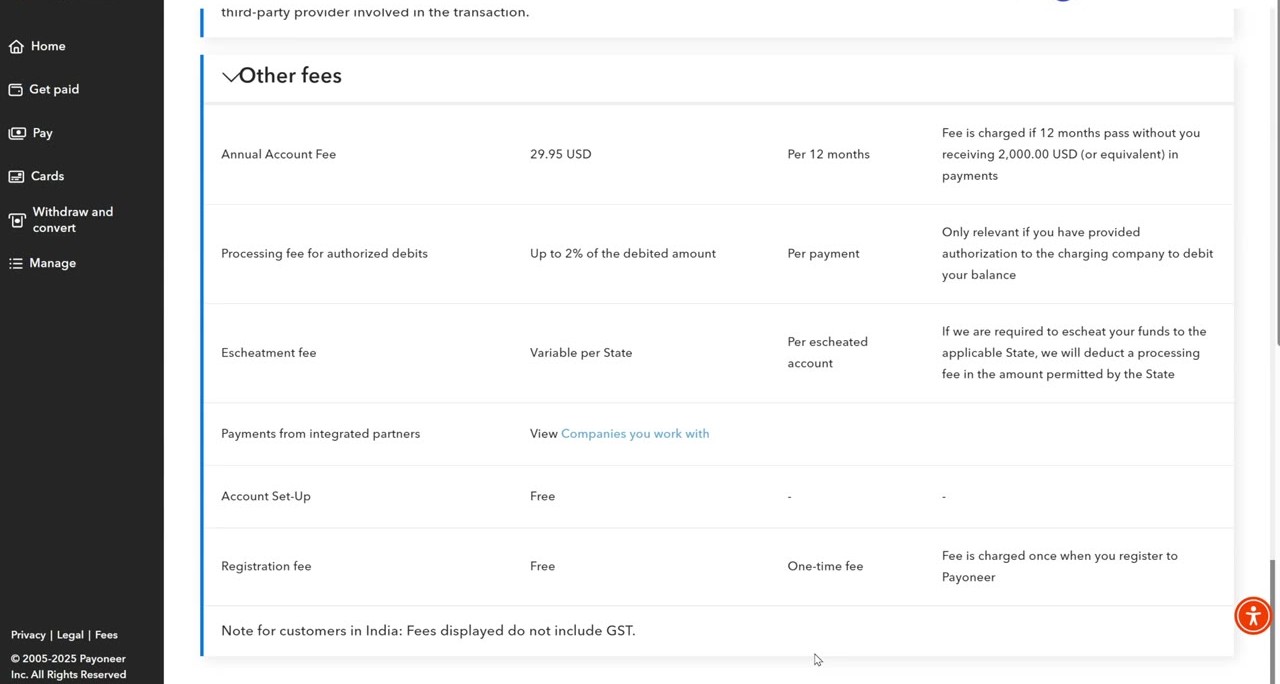
Under Other fees there’s an annual account fee of 29.95 USD, charged only if you received less than 2,000 USD in the last 12 months. If your account is quiet, keep an eye on this one.
Quick ways to pay less
- Get paid in bigger amounts, less often.
- Withdraw in larger amounts, not every small payment.
- Don’t convert currencies unless you need to.
- Pay other Payoneer users in the same currency.
- Receive at least 2,000 USD a year in the account if you can, to avoid the annual fee.
- Check the fees page from time to time, since fees change.
More: a complete guide to every screen in your Payoneer account.
Keep learning
This guide is part of the complete guide: Make Money as a Content Creator.