Printful Shipping in WooCommerce: Charge Real Shipping Instead of Free Shipping
This post contains affiliate links. Try Printful here: go.contentgametips.com/printful
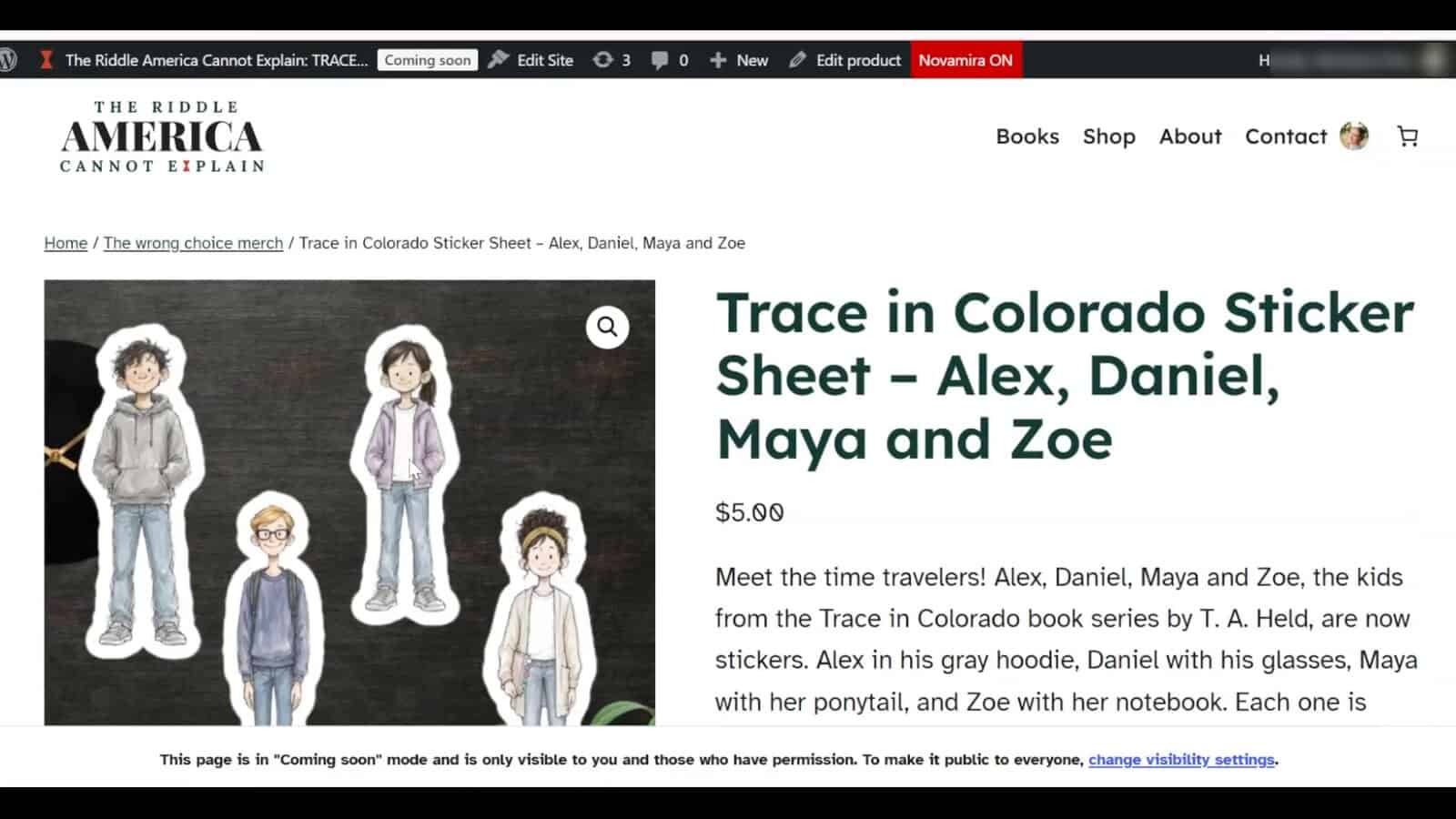
Free shipping is great for T-shirts, but not for a $5 sticker. Here’s how I checked Printful’s shipping cost, why I didn’t use free shipping on a cheap product, and how I let Printful add the real shipping cost to each order in my WooCommerce store.
Step 1: Check the shipping cost in the Printful catalog
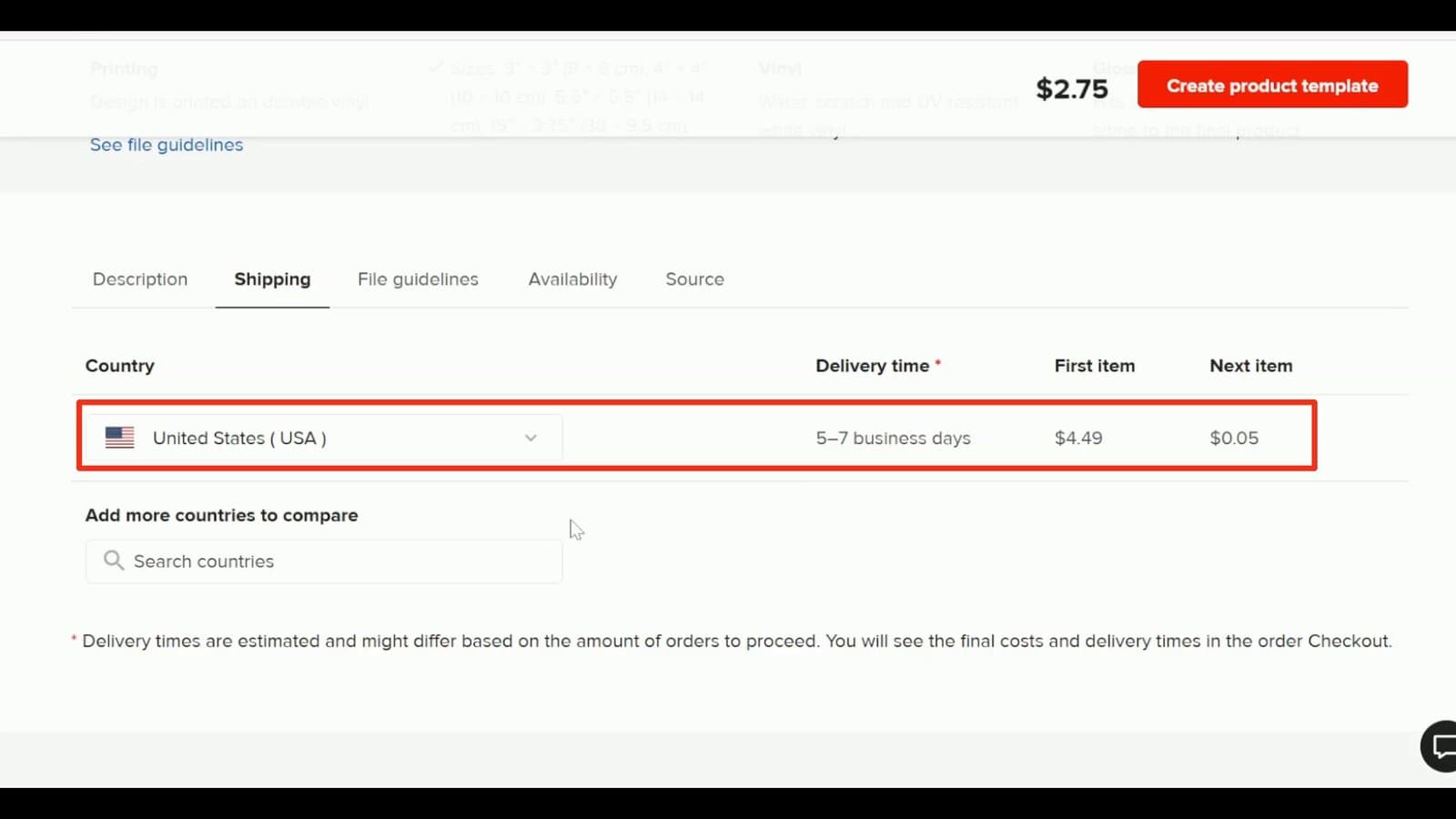
Open the product in Printful’s catalog and click the Shipping tab. Choose the country you sell to most. For my Kiss-Cut sticker, shipping one item to the United States costs $4.49.
Step 2: Why free shipping doesn’t work on a cheap product
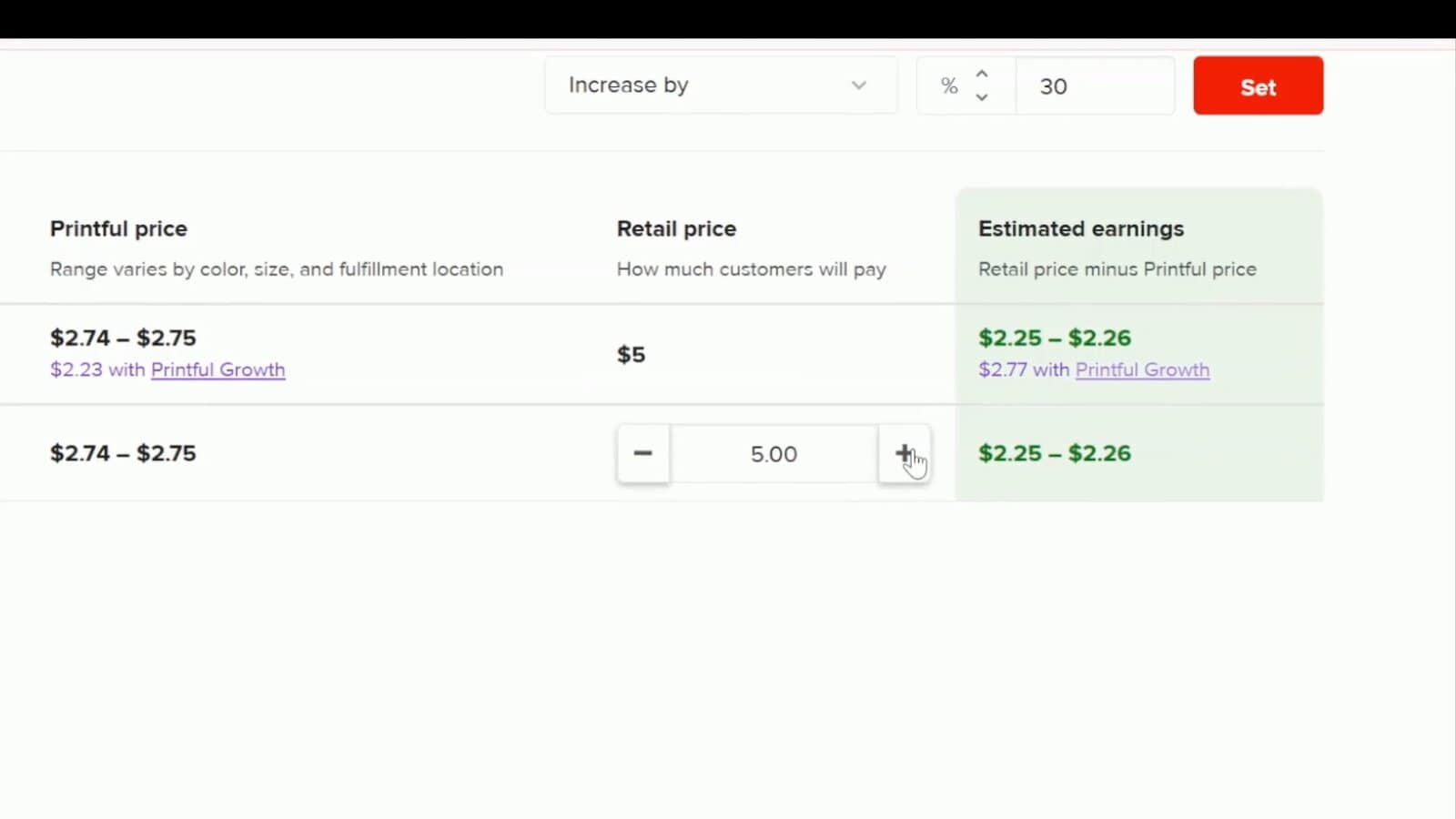
Printful’s price for the sticker is $2.75, and I sell it for $5. That leaves me about $2.25 on each sticker.
On my T-shirts I use free shipping, because the shipping is already in the price. But shipping one sticker costs between three and eight dollars, so with free shipping I’d lose money on almost every order. For this sticker the customer pays the shipping, and Printful calculates it for each order.
Step 3: Turn on Printful Shipping in WooCommerce
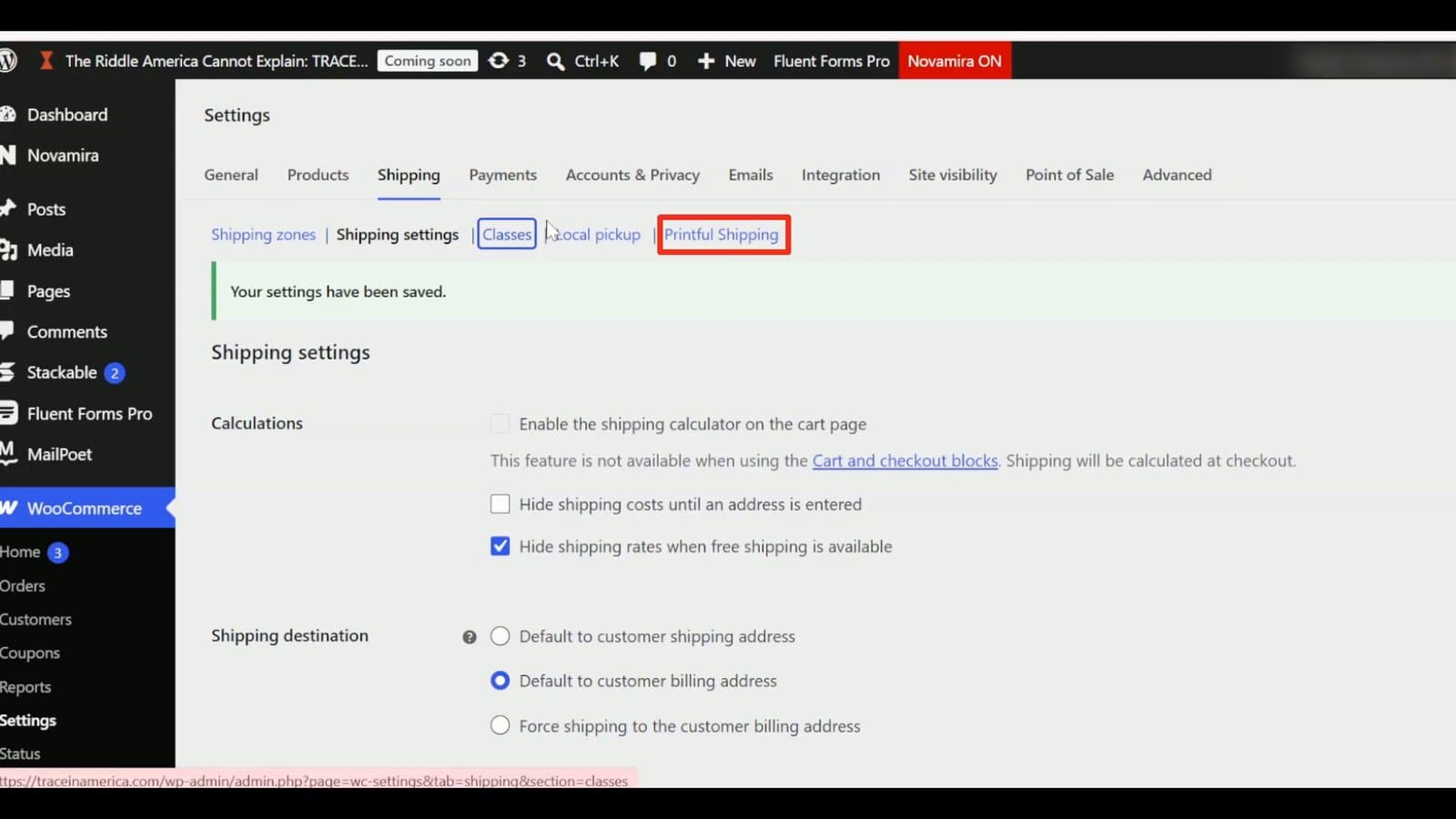
In WordPress go to WooCommerce, then Settings, and open the Shipping tab. When the Printful plugin is installed, you’ll see a Printful Shipping link at the top.
Check Enable this shipping method. The next box turns off WooCommerce’s own rates for products that Printful sends. Click Save changes.
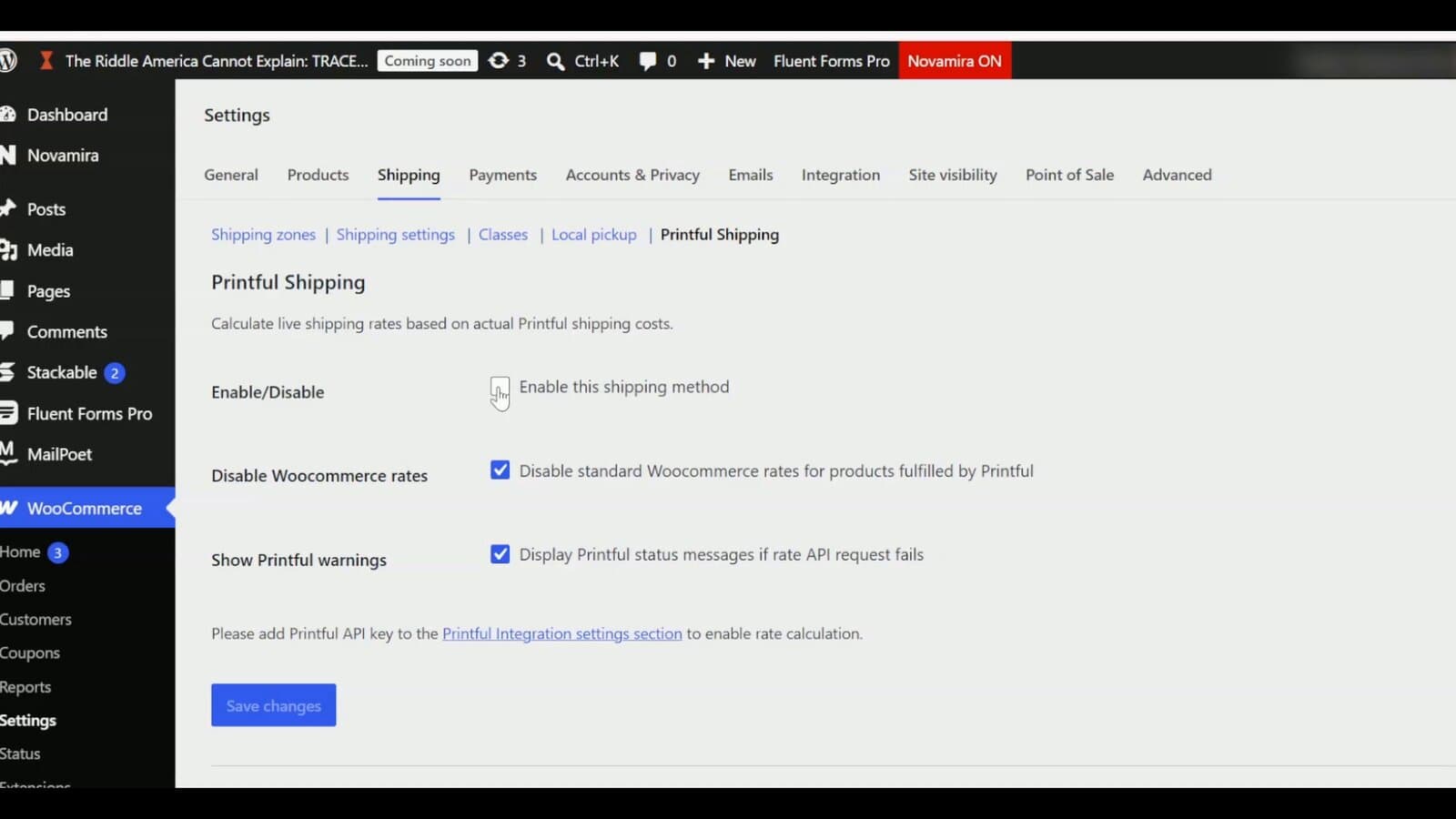
Step 4: Turn on live rates and turn off free shipping in Printful
In Printful open Settings, then Shipping, and choose your store. Make sure Enable Printful’s live shipping rates for your storefront is checked.
Below it there’s an option to display a free shipping method at checkout. If you leave it on, you pay the standard shipping yourself. I unchecked it and clicked Save.
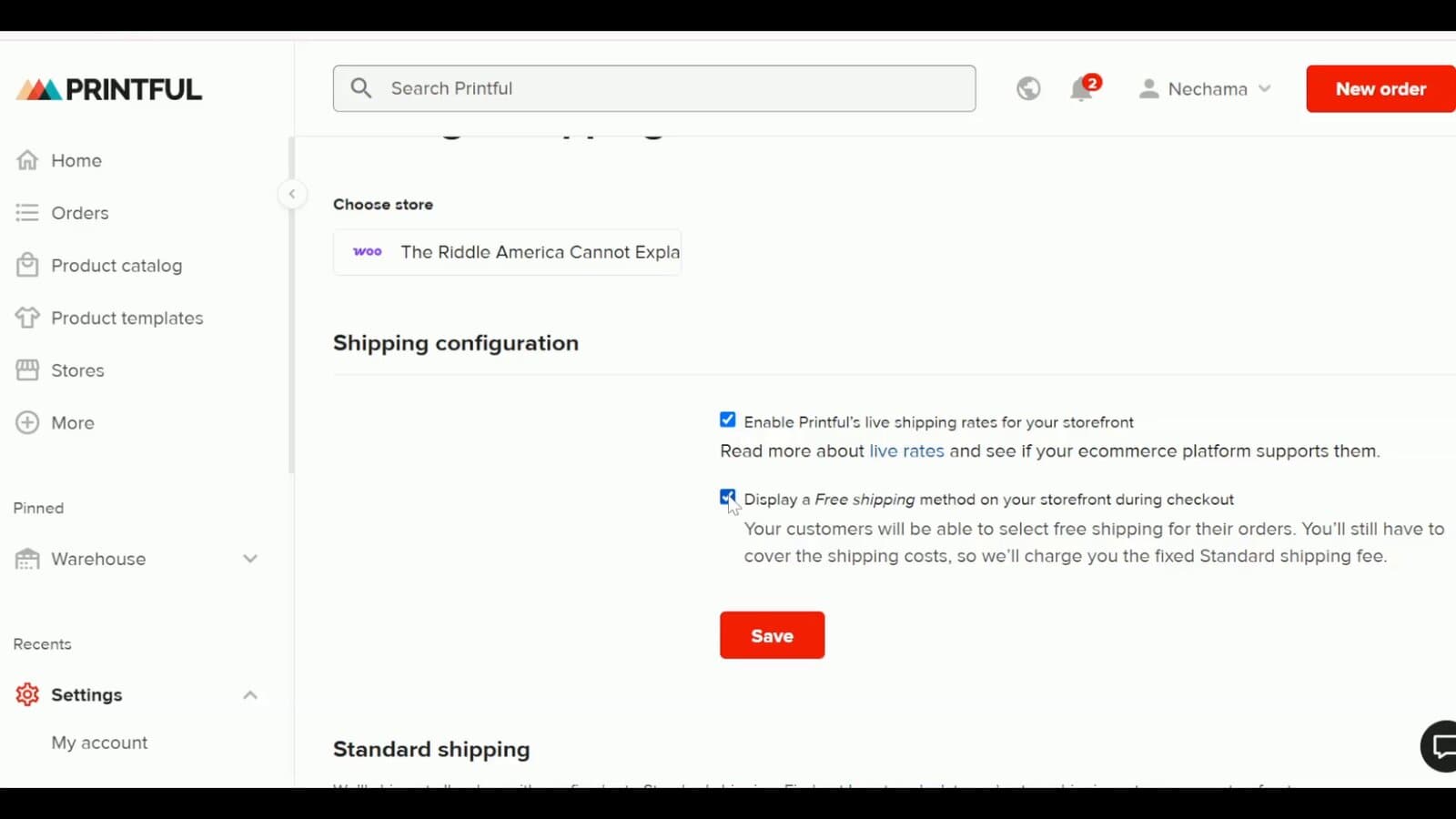
Step 5: Choose the shipping methods your customers see
In WordPress, open the Printful page and its Settings tab, and scroll to Shipping Methods. Here you choose which methods customers can pick, for domestic and for international orders.
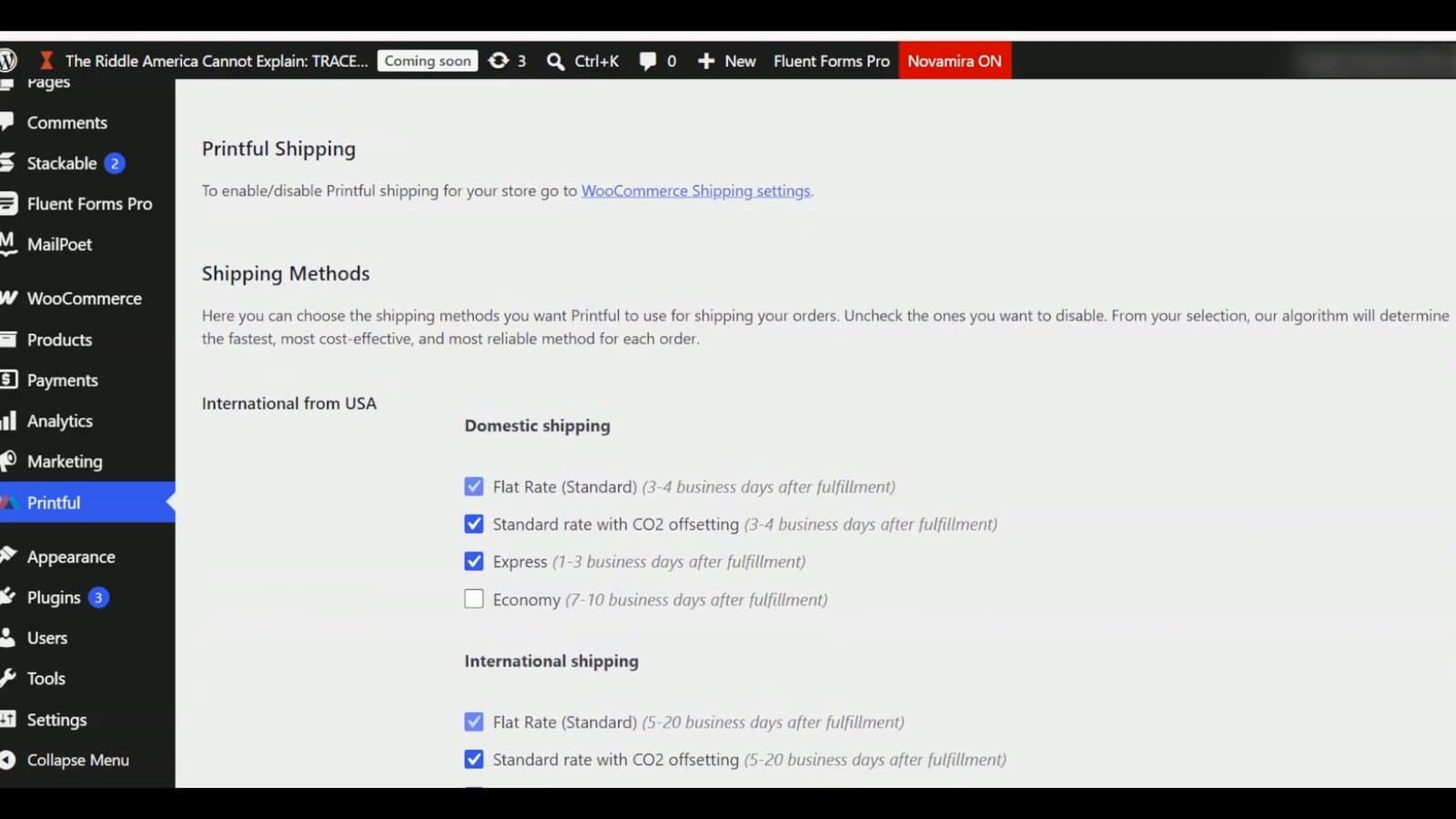
The result
The sticker is in my store for $5, and the shipping is added at checkout according to where it’s sent.