Fix an Extra Hand in AI Images with Canva Magic Eraser
AI image generators still make small mistakes: an extra hand, a sixth finger, a paw that comes out of nowhere. For a book illustration or a video, you don’t need to generate the image again. Canva’s Magic Eraser removes the mistake and fills in the background.
Open Magic Eraser
Select the image in your design and click Edit at the top. Under Magic Studio choose Magic Eraser.
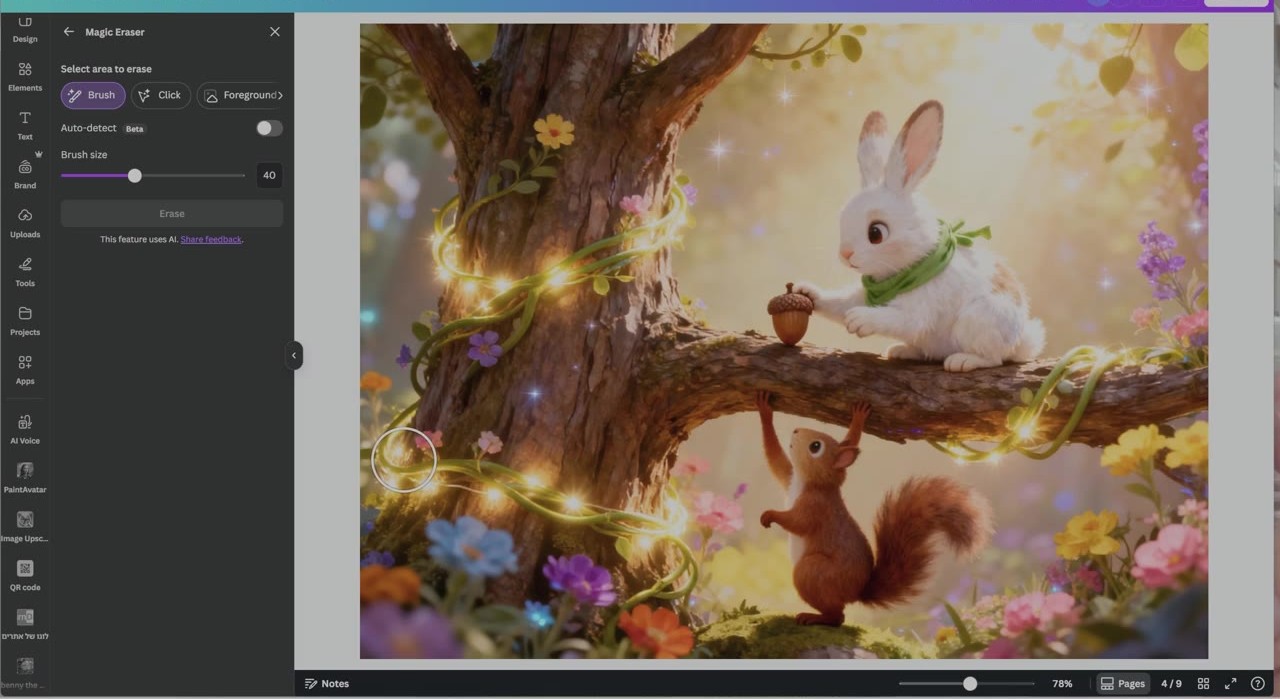
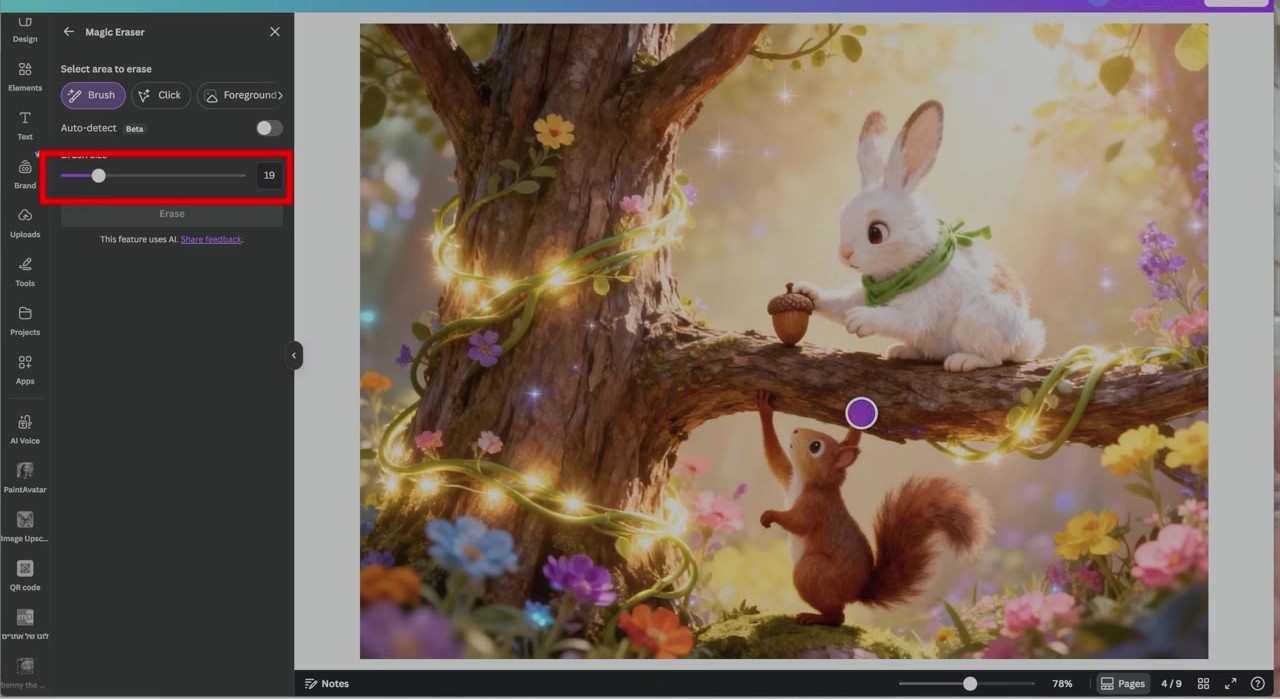
Set the brush size and paint over the mistake
Choose Brush and change the brush size to fit the area. A small brush is better for a small hand, so you don’t erase parts of the characters. Paint over the extra hand and release.
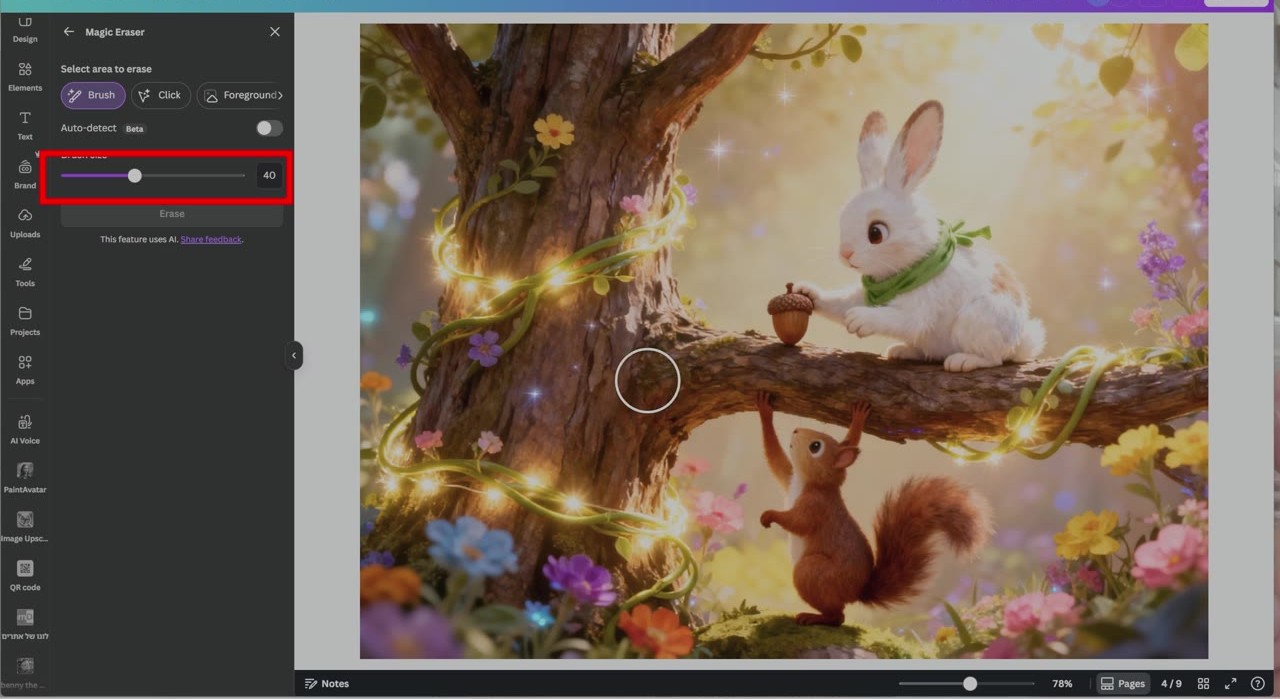
Check the result
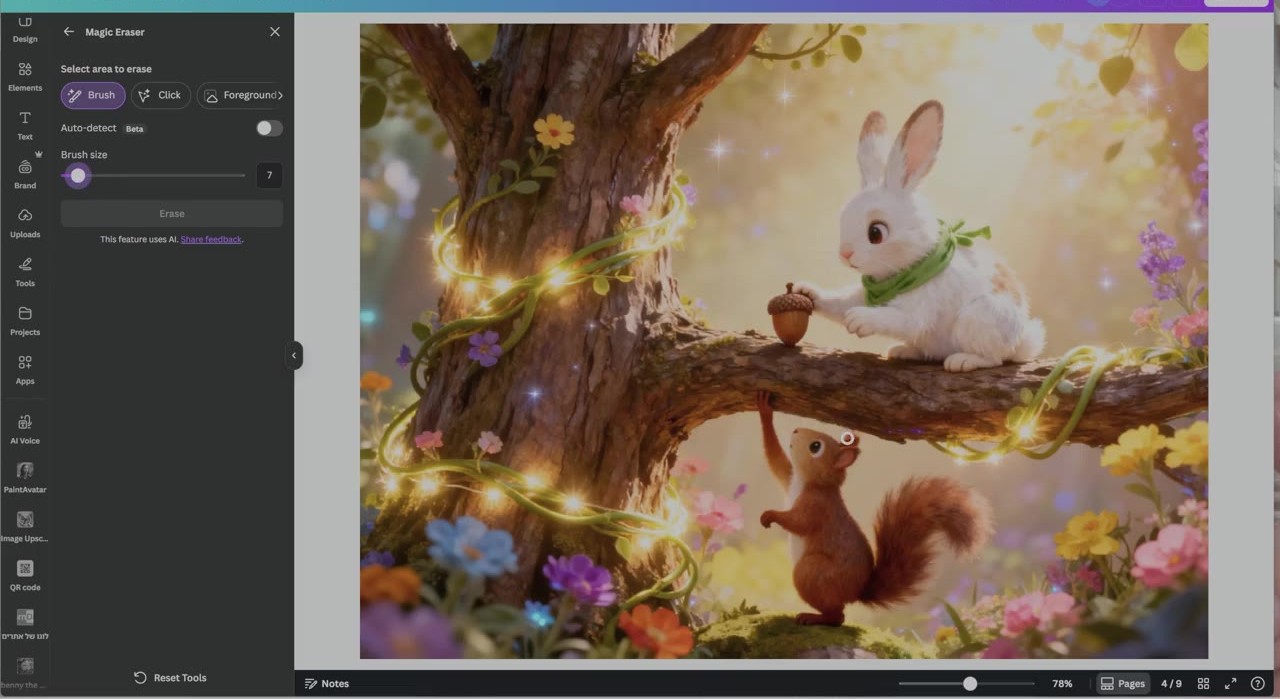
Canva removes the hand and fills the area. Zoom in to check the edges, and if something is left, paint over it again.
Magic Eraser is part of Canva Pro. For more on making a children’s book with AI images, see how I made a children’s book with AI and Canva.
Keep learning
This guide is part of the complete guide: Canva and Design Guides for Creators.